> For the complete documentation index, see [llms.txt](https://docs.shoppego.my/tutorials/llms.txt). Markdown versions of documentation pages are available by appending `.md` to page URLs; this page is available as [Markdown](https://docs.shoppego.my/tutorials/en/customers.md).

# Customers

In Commerce, you can create accounts for your customers. Your customer's account will also be created automatically if they make a payment through your website.

To manually create an account for your customers, you can refer to these setup steps.

1\. Log in to the **Commerce Dashboard.**

![](https://3359028955-files.gitbook.io/~/files/v0/b/gitbook-x-prod.appspot.com/o/spaces%2F-Lh09fNwqqta5Vj6Wr8p%2Fuploads%2Fgit-blob-b853fc0189b34fb1d3990f5b1f53fa71deb9d384%2FlCN7aw3FznaFFoOAyya2.jpg?alt=media)

2\. Click **Customers.**

![](https://3359028955-files.gitbook.io/~/files/v0/b/gitbook-x-prod.appspot.com/o/spaces%2F-Lh09fNwqqta5Vj6Wr8p%2Fuploads%2Fgit-blob-b2ee974cc6b3b6a732efca25f3793b0c17c73818%2F3jP4ULEbCnwUkjETyy1R.png?alt=media)

3\. Click **Add customer.**

![](https://3359028955-files.gitbook.io/~/files/v0/b/gitbook-x-prod.appspot.com/o/spaces%2F-Lh09fNwqqta5Vj6Wr8p%2Fuploads%2Fgit-blob-9e1f8c75eb1298d1a12a70a4e736d6007c392675%2FFCJG2Dds41YokN0QaZe7.png?alt=media)

4\. Next, you can enter your customer information.

![](https://3359028955-files.gitbook.io/~/files/v0/b/gitbook-x-prod.appspot.com/o/spaces%2F-Lh09fNwqqta5Vj6Wr8p%2Fuploads%2Fgit-blob-8d9e0182c9ff2b9448e676e797c54c73a08bc049%2F-MhI8omTNPR_UNepu35i.png?alt=media)

5\. When done click **Save.**

![](https://3359028955-files.gitbook.io/~/files/v0/b/gitbook-x-prod.appspot.com/o/spaces%2F-Lh09fNwqqta5Vj6Wr8p%2Fuploads%2Fgit-blob-78f6acb941212737797475a3648b42aac69d622e%2F-MhI9Bu5fCmOHaZfhpT8.jpg?alt=media)

## Customer search

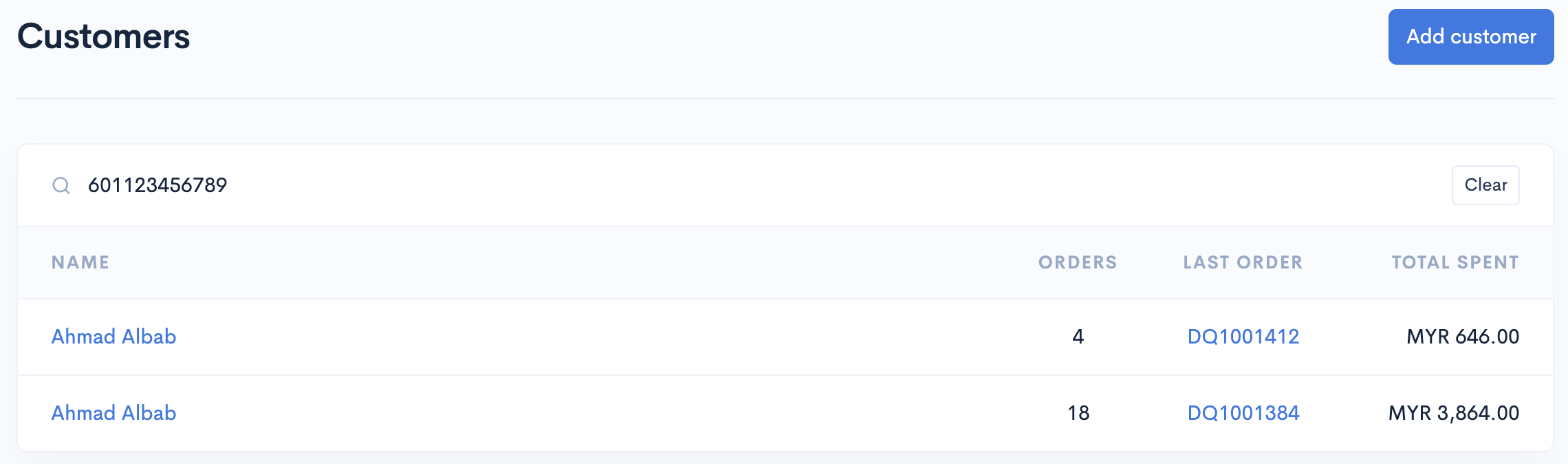
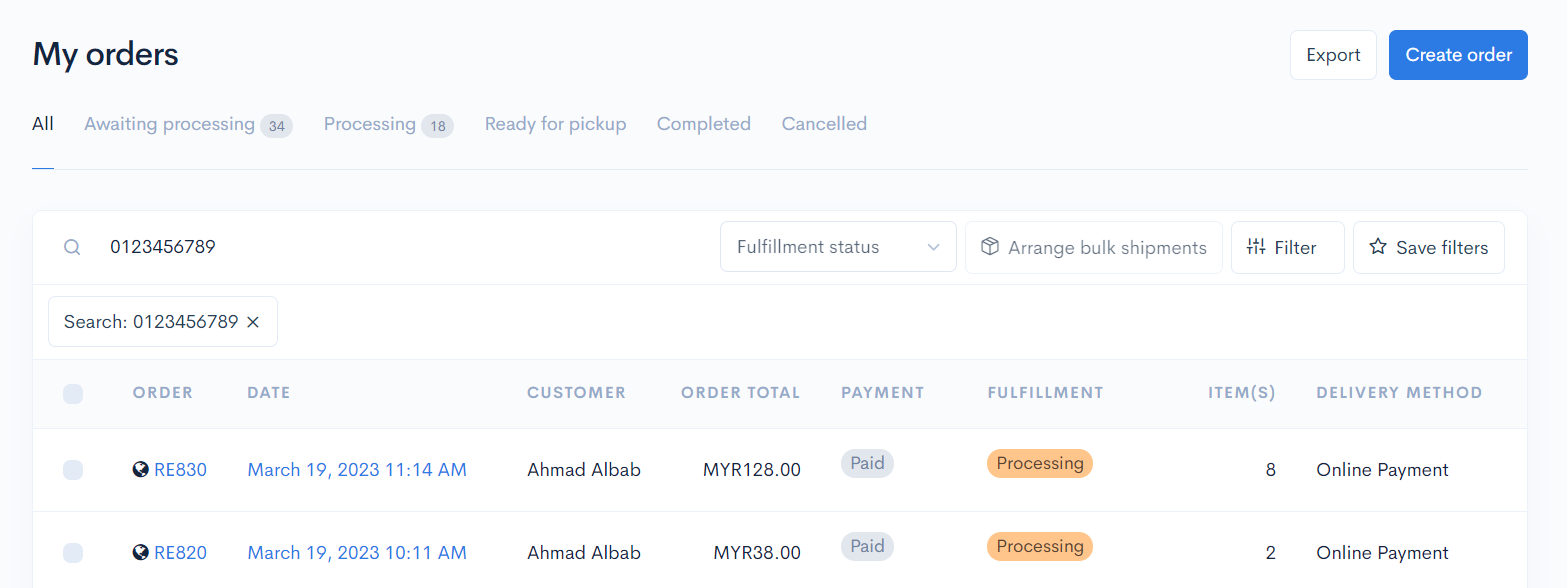
To use this function, simply go to the **Customer Dashboard** or **Orders Dashboard** and enter your customer's phone number.

**Customer information associated** with the **phone number** will be displayed.

### Customers Dashboard display.

<figure><img src="https://3359028955-files.gitbook.io/~/files/v0/b/gitbook-x-prod.appspot.com/o/spaces%2F-Lh09fNwqqta5Vj6Wr8p%2Fuploads%2Fgit-blob-867416af11634d1e2073b750ff1701e6a6d99a95%2FE4Klxu8Tmf6SSMqTGqIs.png?alt=media" alt=""><figcaption></figcaption></figure>

### Orders Dashboard display.

<figure><img src="https://3359028955-files.gitbook.io/~/files/v0/b/gitbook-x-prod.appspot.com/o/spaces%2F-Lh09fNwqqta5Vj6Wr8p%2Fuploads%2Fgit-blob-2041ab298d3adb3bcc19a5d3794b1fb5e6bf55a5%2FNc0bIFPAfgGaLhpLlJtm.png?alt=media" alt=""><figcaption></figcaption></figure>