> For the complete documentation index, see [llms.txt](https://docs.shoppego.my/tutorials/llms.txt). Markdown versions of documentation pages are available by appending `.md` to page URLs; this page is available as [Markdown](https://docs.shoppego.my/tutorials/en/files/downloads.md).

# Downloads

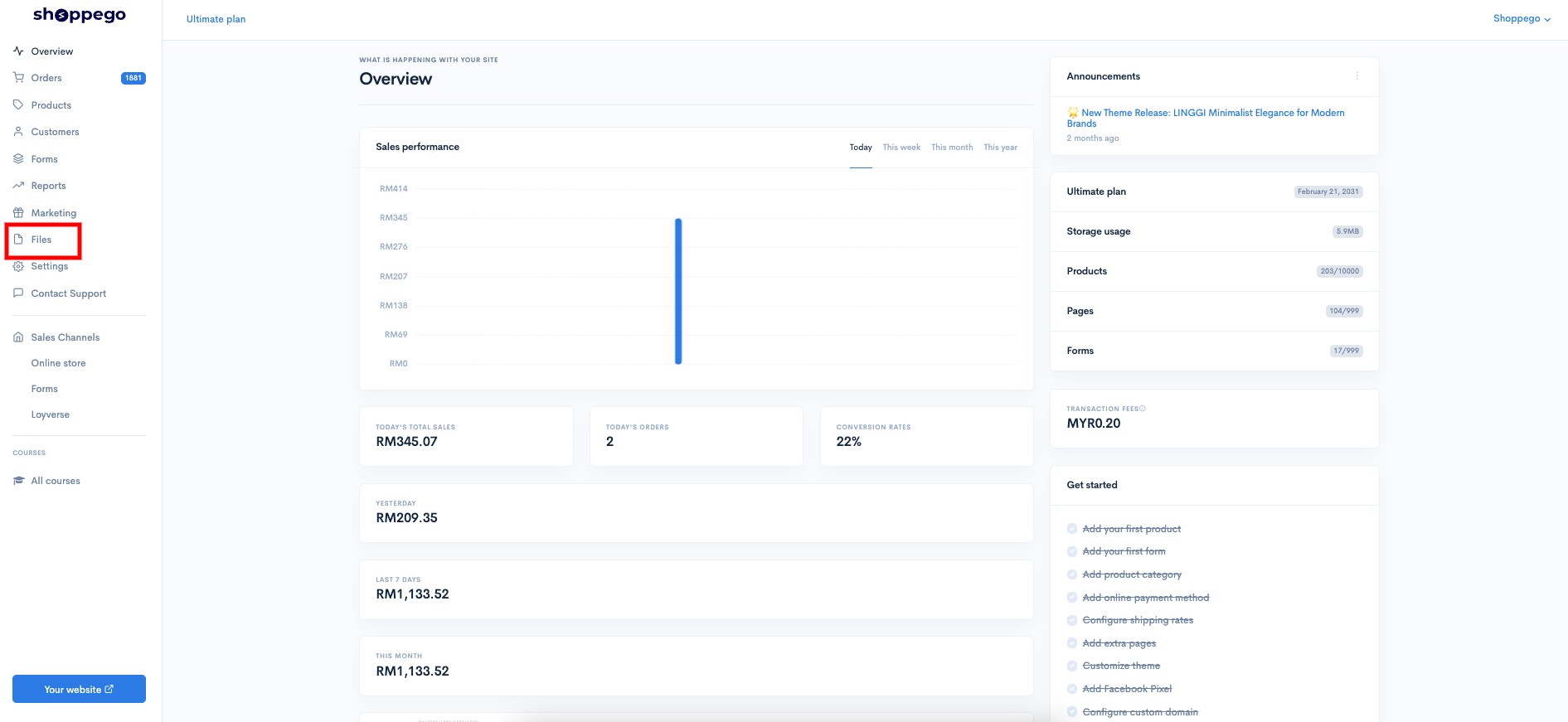
To manage export orders files, you can go to the section:

1. Log in to your Shoppego account

<figure><img src="https://3359028955-files.gitbook.io/~/files/v0/b/gitbook-x-prod.appspot.com/o/spaces%2F-Lh09fNwqqta5Vj6Wr8p%2Fuploads%2Fgit-blob-b853fc0189b34fb1d3990f5b1f53fa71deb9d384%2FlCN7aw3FznaFFoOAyya2.jpg?alt=media" alt=""><figcaption></figcaption></figure>

2. Click on **Files**

<figure><img src="https://3359028955-files.gitbook.io/~/files/v0/b/gitbook-x-prod.appspot.com/o/spaces%2F-Lh09fNwqqta5Vj6Wr8p%2Fuploads%2Fgit-blob-7f4290e8d960510538f0efcb45c1cd371eaa03dd%2F4vjY7kr0vHb8lhe6wG2p.jpg?alt=media" alt=""><figcaption></figcaption></figure>

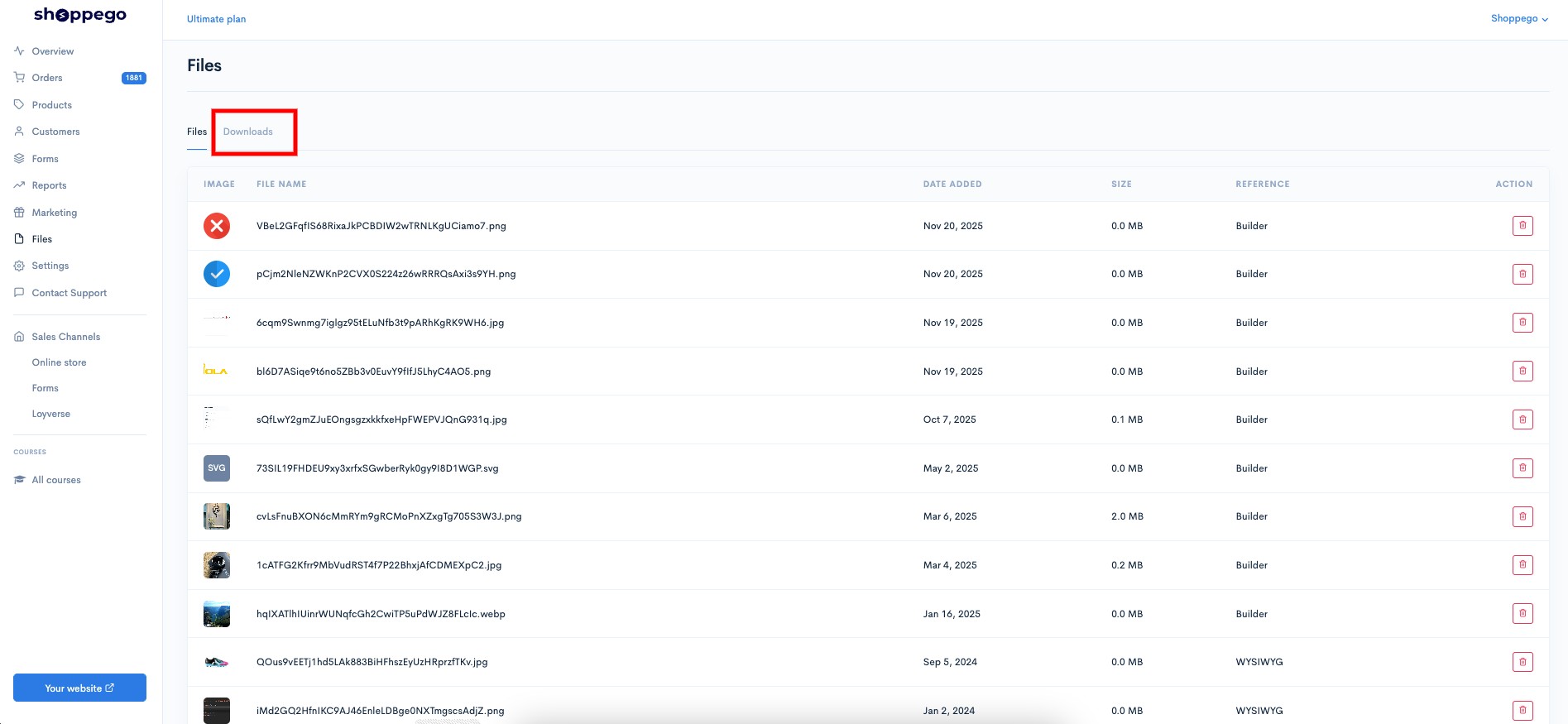
3. Click on the **Downloads** tab

<figure><img src="https://3359028955-files.gitbook.io/~/files/v0/b/gitbook-x-prod.appspot.com/o/spaces%2F-Lh09fNwqqta5Vj6Wr8p%2Fuploads%2Fgit-blob-82016575ff44e5127dd50ba4f119cdbe1ab7fc85%2Fe40xp0rJyAjpTenlRJu7.jpg?alt=media" alt=""><figcaption></figcaption></figure>

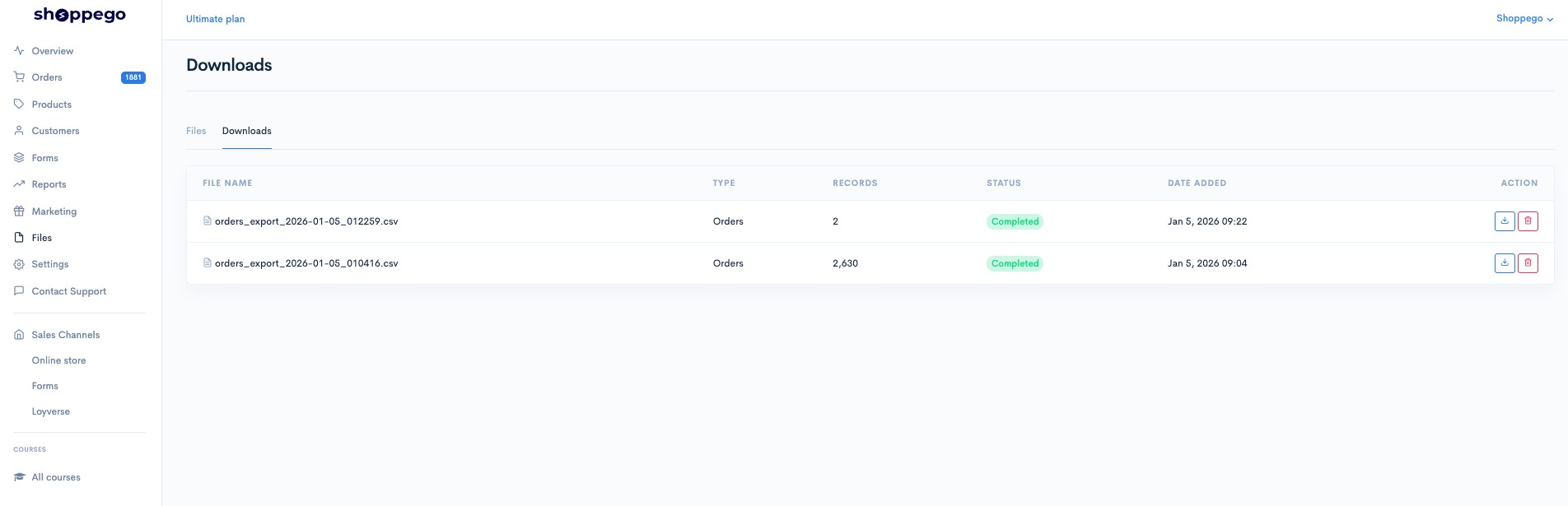
4. Next, you will be able to see the status of your export order file.

<figure><img src="https://3359028955-files.gitbook.io/~/files/v0/b/gitbook-x-prod.appspot.com/o/spaces%2F-Lh09fNwqqta5Vj6Wr8p%2Fuploads%2Fgit-blob-78b163ef7cf3789b348bb7e0a051ca9a24eaaed0%2FQ8zgxsXq0Yen605GfSyO.jpg?alt=media" alt=""><figcaption></figcaption></figure>

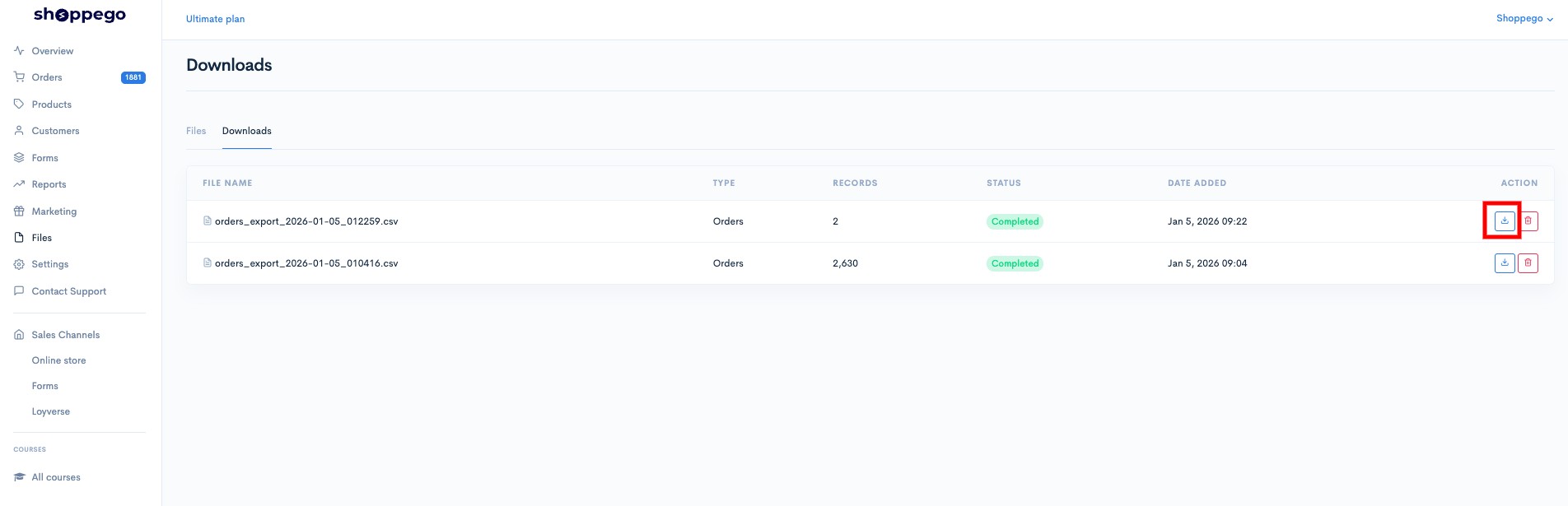
If the file is ready to be downloaded (Status changes to Completed), you can click on the **download** button.

{% hint style="info" %}
Please note that if your export file is too large, changing the status to "Completed" will take some time (depending on the size of your file).
{% endhint %}

<figure><img src="https://3359028955-files.gitbook.io/~/files/v0/b/gitbook-x-prod.appspot.com/o/spaces%2F-Lh09fNwqqta5Vj6Wr8p%2Fuploads%2Fgit-blob-fbf7d161a59855322f0b294ef480a722db0cbb18%2FWQlzo7S0jpJWllhFxrWp.jpg?alt=media" alt=""><figcaption></figcaption></figure>

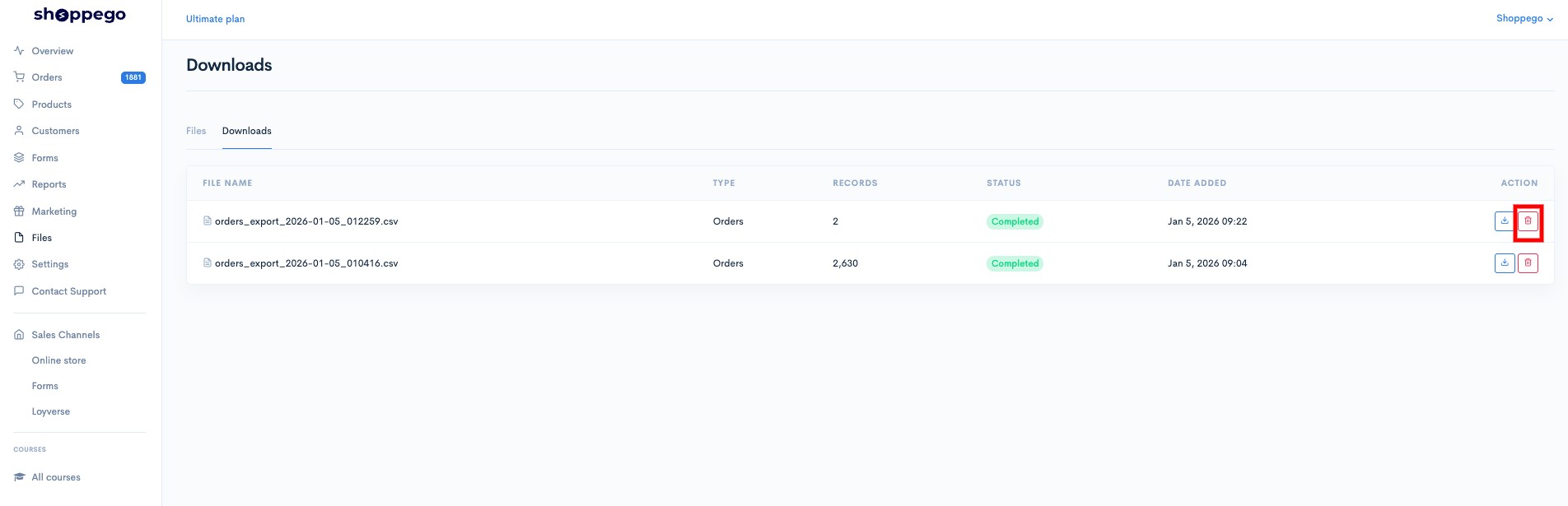
To delete any of the export files, you can click on the **trash can icon** button.

<figure><img src="https://3359028955-files.gitbook.io/~/files/v0/b/gitbook-x-prod.appspot.com/o/spaces%2F-Lh09fNwqqta5Vj6Wr8p%2Fuploads%2Fgit-blob-787b3f731e8029794fb1fa83e5048cb936fe1aee%2FoHUSCqJpUSDvaNiRigfH.jpg?alt=media" alt=""><figcaption></figcaption></figure>