> For the complete documentation index, see [llms.txt](https://docs.shoppego.my/tutorials/llms.txt). Markdown versions of documentation pages are available by appending `.md` to page URLs; this page is available as [Markdown](https://docs.shoppego.my/tutorials/en/online-store/metafields/product-metafield.md).

# Product Metafield

**Metafield** is a simple piece of code to display data that can be used on products and pages.

The discussion about **Metafields** is long. For this tutorial, there is more on the built in **Metafield** that has been embedded in the :

* **Solaris** theme
* **Hartamas** theme.
* **Tampin** Themes.

See an example of the built-in **Metafield** for custom labels.

See the orange "Fast Selling" label which is a built-in custom label that can be used in each online store.

![](https://3359028955-files.gitbook.io/~/files/v0/b/gitbook-x-prod.appspot.com/o/spaces%2F-Lh09fNwqqta5Vj6Wr8p%2Fuploads%2Fgit-blob-ab9dc6e6f2887f824d713dbf07f0dafae54a4038%2F-MGqrx949dwAqD_49_vz.png?alt=media)

## Set up Product Metafield

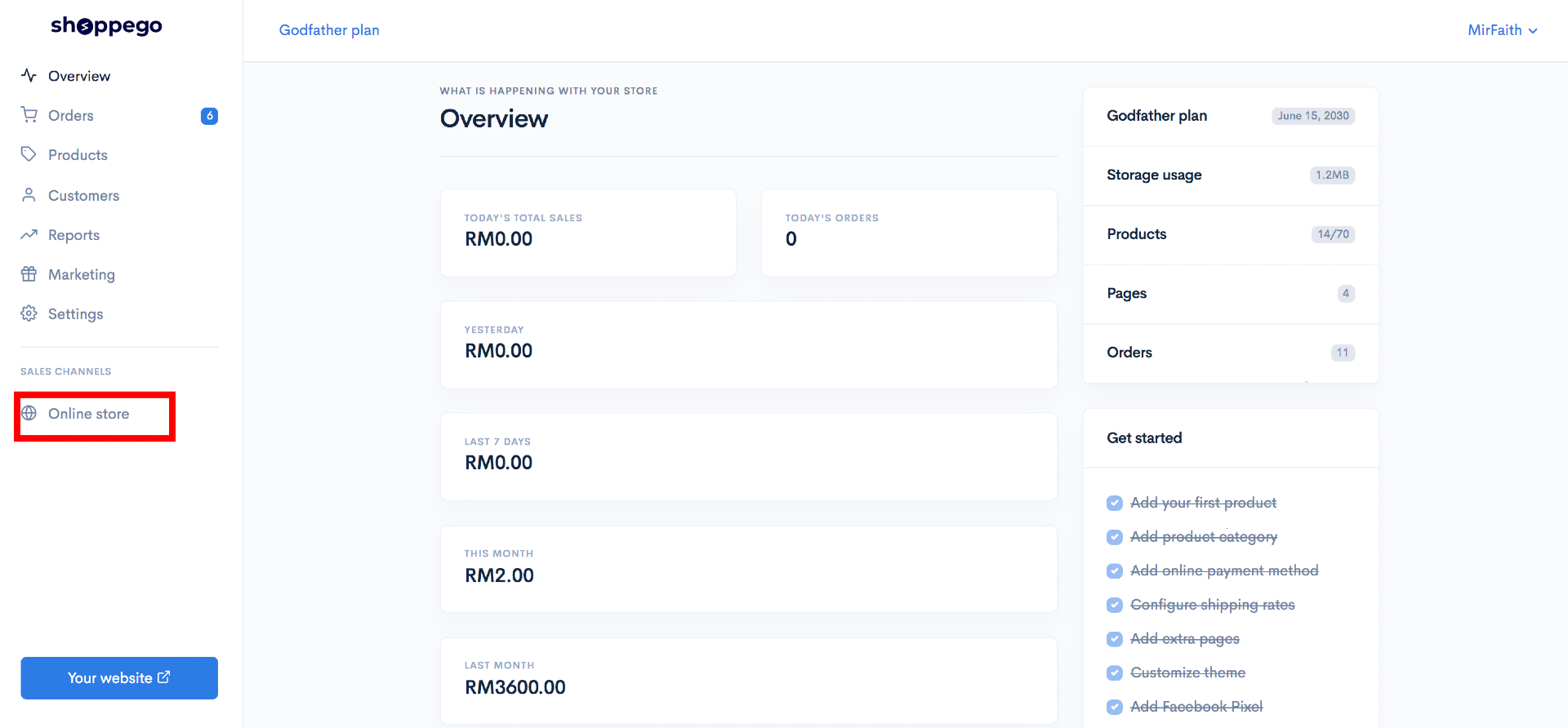
1. Log in to the Shoppego dashboard and click on **Online store**.
![](https://3359028955-files.gitbook.io/~/files/v0/b/gitbook-x-prod.appspot.com/o/spaces%2F-Lh09fNwqqta5Vj6Wr8p%2Fuploads%2Fgit-blob-70c4a33377466661b7d9ad083aec0c73abcda6de%2FVCvdwwBNMP2Wl4iZzvCi.png?alt=media)

2. Then click on **Metafields**.

![](https://3359028955-files.gitbook.io/~/files/v0/b/gitbook-x-prod.appspot.com/o/spaces%2F-Lh09fNwqqta5Vj6Wr8p%2Fuploads%2Fgit-blob-bad01dd54b257152b2f8e41670c835ac93a96039%2FxhRd6GFDD3e1l0KTyHu3.jpg?alt=media)

3. Then click on **products**.

![](https://3359028955-files.gitbook.io/~/files/v0/b/gitbook-x-prod.appspot.com/o/spaces%2F-Lh09fNwqqta5Vj6Wr8p%2Fuploads%2Fgit-blob-b69070ca8a4de94342bb404d46413e9b8c204693%2F-MkeNPTllxhz3jirQvUr.jpg?alt=media)

4. Select the name of the product for which you want to display the custom label and click on the product name.

![](https://3359028955-files.gitbook.io/~/files/v0/b/gitbook-x-prod.appspot.com/o/spaces%2F-Lh09fNwqqta5Vj6Wr8p%2Fuploads%2Fgit-blob-3df185da611f4ac52f698c7135afbfd137984ca6%2F-MkeNg30lzZBMfkZtJKL.jpg?alt=media)

5. Next click the **Add Metafield** button

![](https://3359028955-files.gitbook.io/~/files/v0/b/gitbook-x-prod.appspot.com/o/spaces%2F-Lh09fNwqqta5Vj6Wr8p%2Fuploads%2Fgit-blob-0396b8397a43f19ec5160c7d75b6694c3243de89%2F-MkePGZ6fKwzsVRgCjvD.jpg?alt=media)

## Add a metafield

6. Fill in the information in the Key and Namespace fields just like the picture below, that is:
   * **Key** : custom
   * **Namespace** : label
   * **Value Type** : String
   * **Value** : **New Arrival** or **according to your creativity**.
7. Next click the **Save** button.

![](https://3359028955-files.gitbook.io/~/files/v0/b/gitbook-x-prod.appspot.com/o/spaces%2F-Lh09fNwqqta5Vj6Wr8p%2Fuploads%2Fgit-blob-66eac648741a9531b33ff2f2034b825192cf05d9%2F-MkeQYhRbm8U-6qWHyta.jpg?alt=media)

7\. Go back to your store front and see the results on the homepage, a New Arrival label will be displayed on the product you have specified.

![](https://3359028955-files.gitbook.io/~/files/v0/b/gitbook-x-prod.appspot.com/o/spaces%2F-Lh09fNwqqta5Vj6Wr8p%2Fuploads%2Fgit-blob-9068fd04a83600f9227d56d625cf814b3e729278%2F-MGqsSTaNH1tyGeeH85B.png?alt=media)

## Additional Information

* Only **one label** can be added to **one product**.

## Color Label Product Metafield Changes

To change the **color of the product label in Themes**, you can go to:

<mark style="color:blue;">**Solaris**</mark>: Dashboard Overview -> Online Stores -> Installed Themes -> Customize **-> Homepage Settings -> Custom Label Color.**

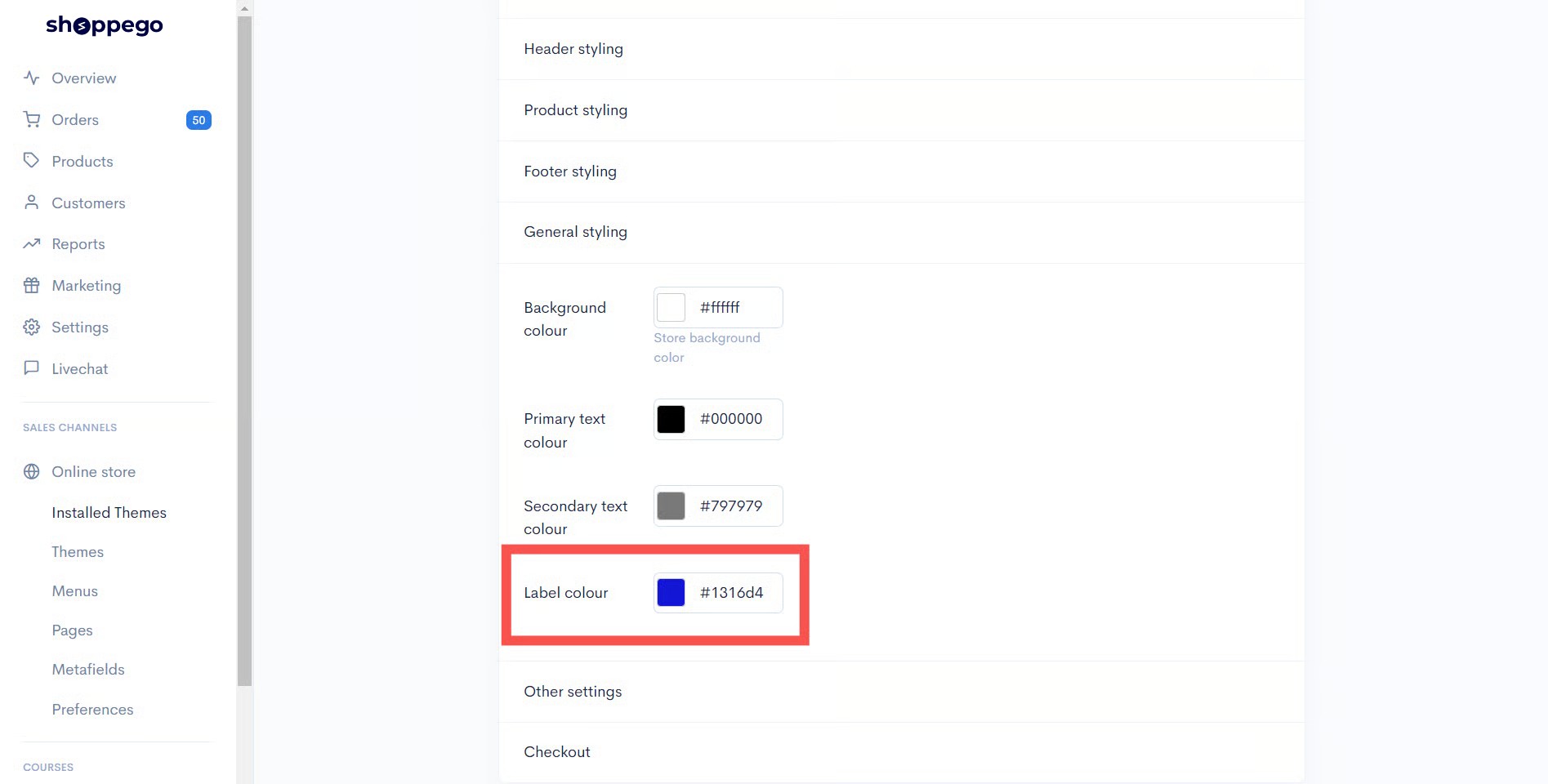
<mark style="color:blue;">**Hartamas**</mark>: Dashboard Overview -> Online Stores -> Installed Themes -> Customize **-> General Styling -> Label Color.**

<mark style="color:blue;">**Tampin**</mark>: Dashboard Overview -> Online Stores -> Installed Themes -> Customize **-> Homepage Settings -> Custom Label Color.**

{% hint style="info" %} <mark style="color:red;">\*\*Attention\*\*</mark>: If changes do not take effect, you can try \*\*clearing your browser cache\*\* and \*\*restarting your browser.\*\*
{% endhint %}

<figure><img src="https://3359028955-files.gitbook.io/~/files/v0/b/gitbook-x-prod.appspot.com/o/spaces%2F-Lh09fNwqqta5Vj6Wr8p%2Fuploads%2Fgit-blob-ddc73ba1a82c80fb3a8160528a1a9b36d40eb432%2FkJd97fx1DDEYN3BQ9EJl.jpg?alt=media" alt=""><figcaption></figcaption></figure>

The result will be displayed as below :
<figure><img src="https://3359028955-files.gitbook.io/~/files/v0/b/gitbook-x-prod.appspot.com/o/spaces%2F-Lh09fNwqqta5Vj6Wr8p%2Fuploads%2Fgit-blob-e27264858730f3f9eb15f67f0bca7fcf2c831540%2Fu6f7fBSui5HBnJzcQ8se.png?alt=media" alt=""><figcaption></figcaption></figure>