> For the complete documentation index, see [llms.txt](https://docs.shoppego.my/tutorials/llms.txt). Markdown versions of documentation pages are available by appending `.md` to page URLs; this page is available as [Markdown](https://docs.shoppego.my/tutorials/en/online-store/pages/page-template.md).

# Page template

At Shoppego, we have provided page templates that you can directly use to display your page.

Among the templates you can use are:

* Default (Original display)
* Contact page

To use the template on your page, you can go to the section:

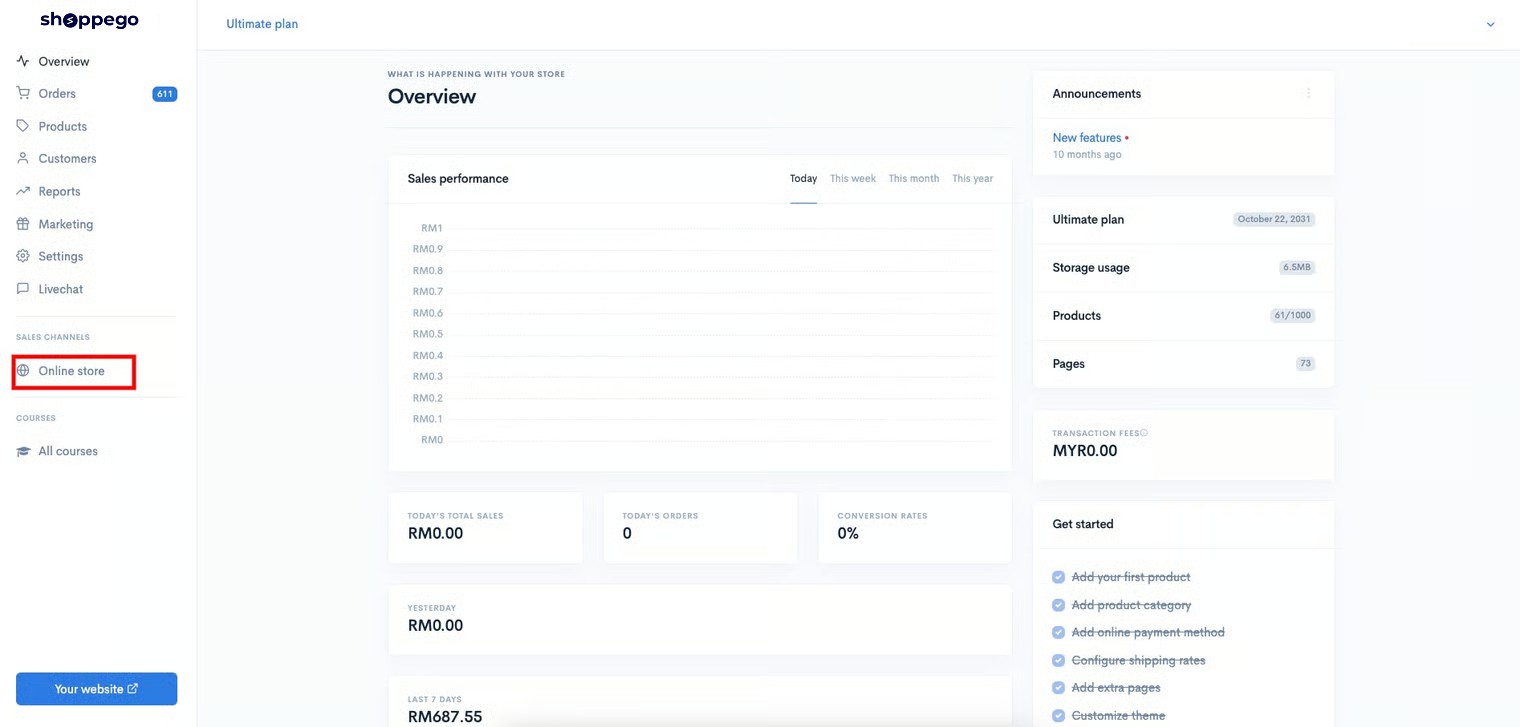
1. Log in to the Shoppego dashboard

<figure><img src="https://3359028955-files.gitbook.io/~/files/v0/b/gitbook-x-prod.appspot.com/o/spaces%2F-Lh09fNwqqta5Vj6Wr8p%2Fuploads%2Fgit-blob-b853fc0189b34fb1d3990f5b1f53fa71deb9d384%2FlCN7aw3FznaFFoOAyya2.jpg?alt=media" alt=""><figcaption></figcaption></figure>

2. Click on **Online store**

<figure><img src="https://3359028955-files.gitbook.io/~/files/v0/b/gitbook-x-prod.appspot.com/o/spaces%2F-Lh09fNwqqta5Vj6Wr8p%2Fuploads%2Fgit-blob-26af333e4f5eb27b9c25ea98888010f03203d8e9%2FkeUJfqCVf9Am4GjjKCHx.jpg?alt=media" alt=""><figcaption></figcaption></figure>

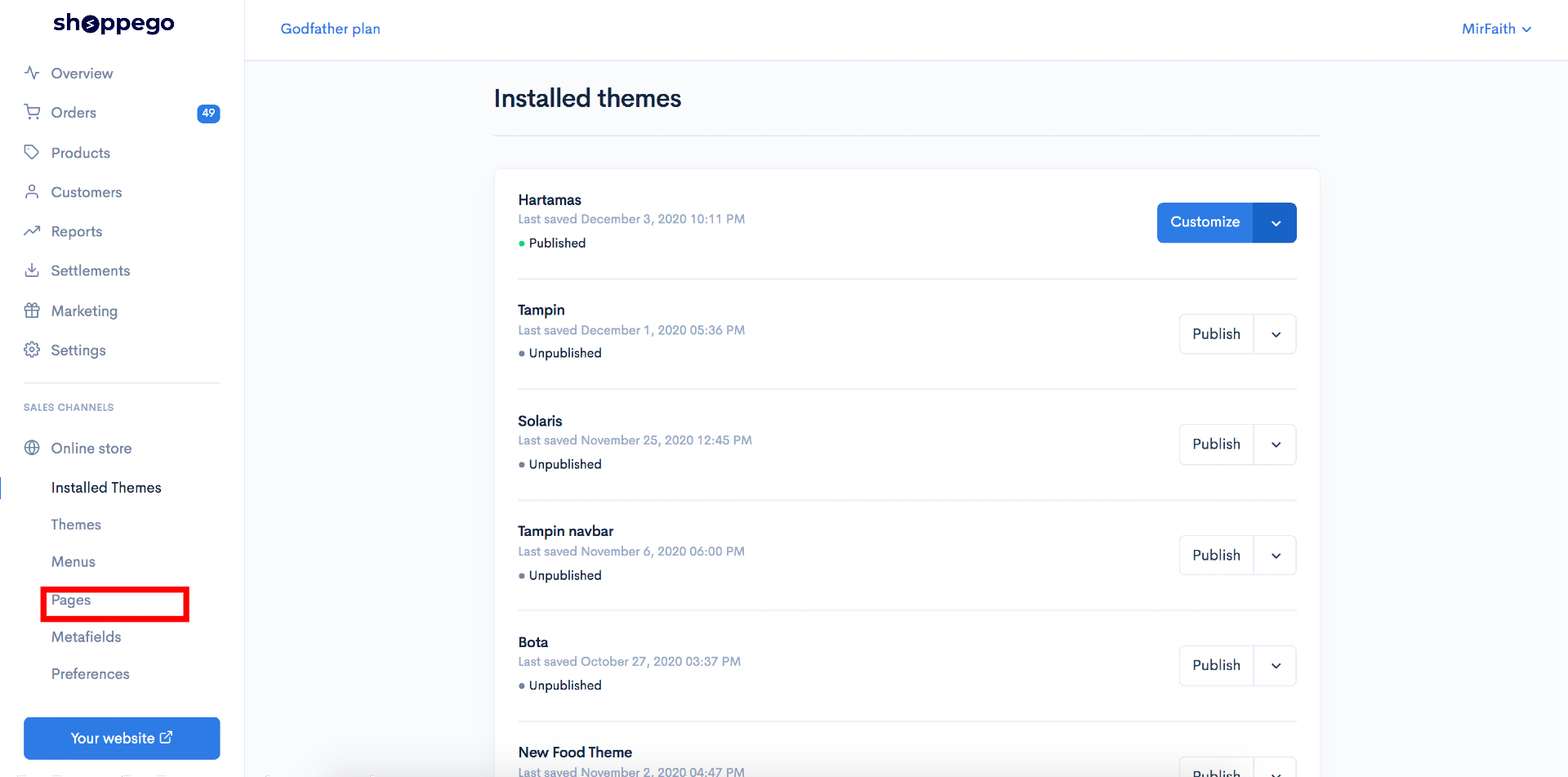
3. Click on **Pages**

<figure><img src="https://3359028955-files.gitbook.io/~/files/v0/b/gitbook-x-prod.appspot.com/o/spaces%2F-Lh09fNwqqta5Vj6Wr8p%2Fuploads%2Fgit-blob-341a6501881061901de183e72711407423df19b5%2Fyc3WZ6CDvhGFKWvkD1GV.png?alt=media" alt=""><figcaption></figcaption></figure>

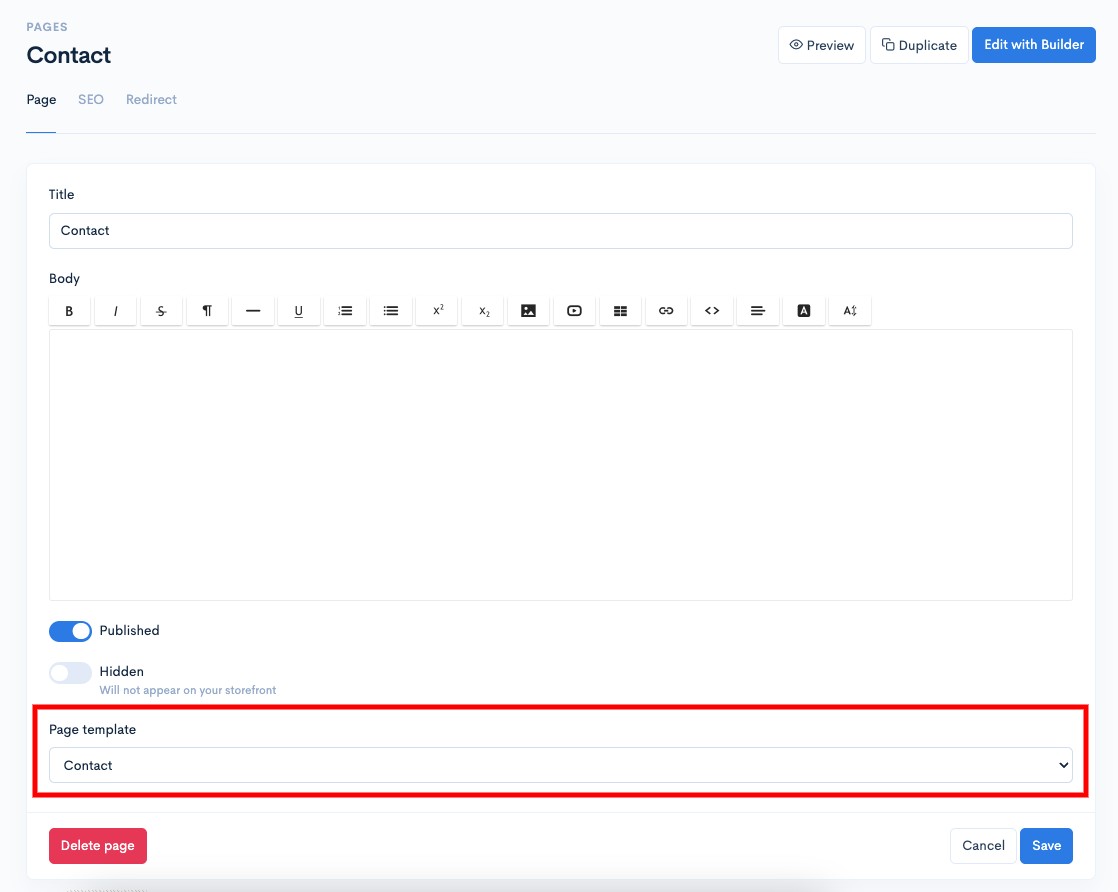
4. If you haven't created any pages yet, you can create one first. If you have already created the page, you can **scroll down** and under the "**Page template**" setting, you **can click** and **select the type of template you want to use.**

<figure><img src="https://3359028955-files.gitbook.io/~/files/v0/b/gitbook-x-prod.appspot.com/o/spaces%2F-Lh09fNwqqta5Vj6Wr8p%2Fuploads%2Fgit-blob-7ef63088673235acb8809893d4fb12223b55a20d%2FAqmanZFTCvQCTz4mBO2p.jpg?alt=media" alt=""><figcaption></figcaption></figure>

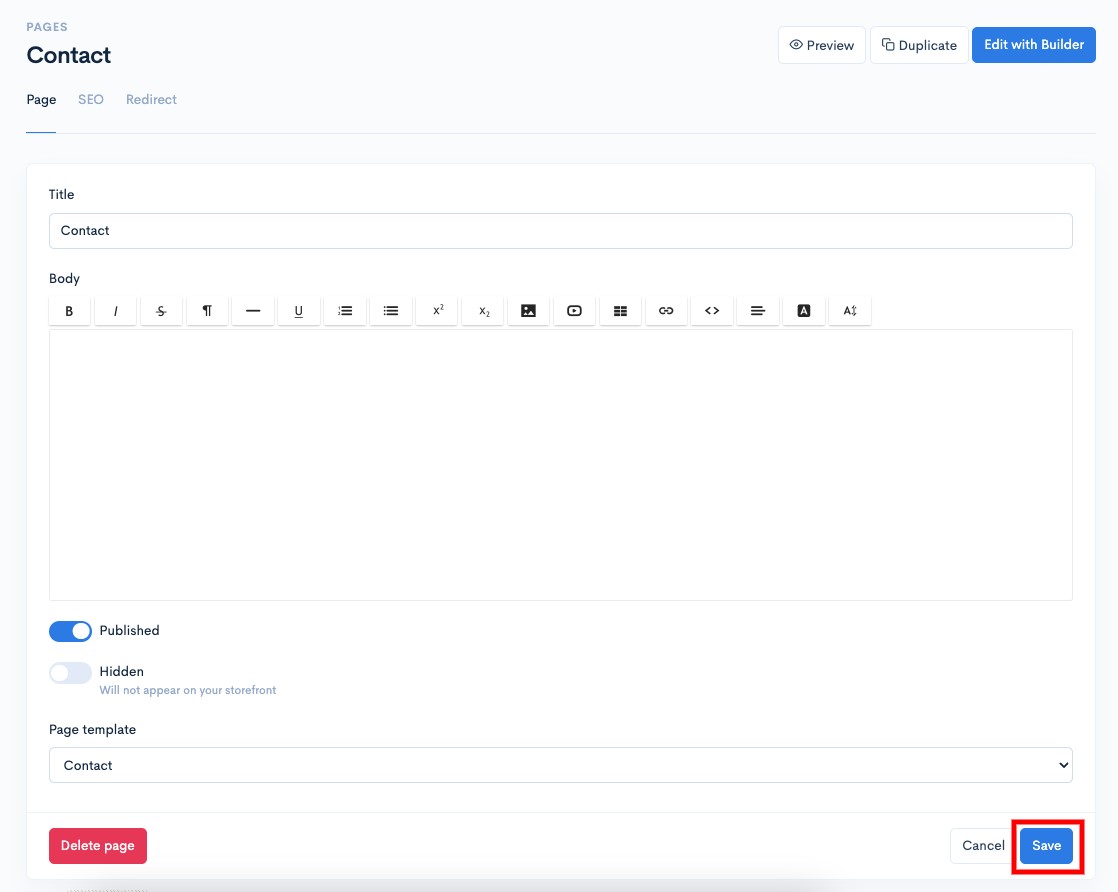
5. When finished, click **Save**

<figure><img src="https://3359028955-files.gitbook.io/~/files/v0/b/gitbook-x-prod.appspot.com/o/spaces%2F-Lh09fNwqqta5Vj6Wr8p%2Fuploads%2Fgit-blob-d43ad97ed0721c343efb3b05b124df7afc8bafd1%2FoINmIklTLO4xS8UVfAIS.jpg?alt=media" alt=""><figcaption></figcaption></figure>

Now your page is already using the available template.

## Example Display Template

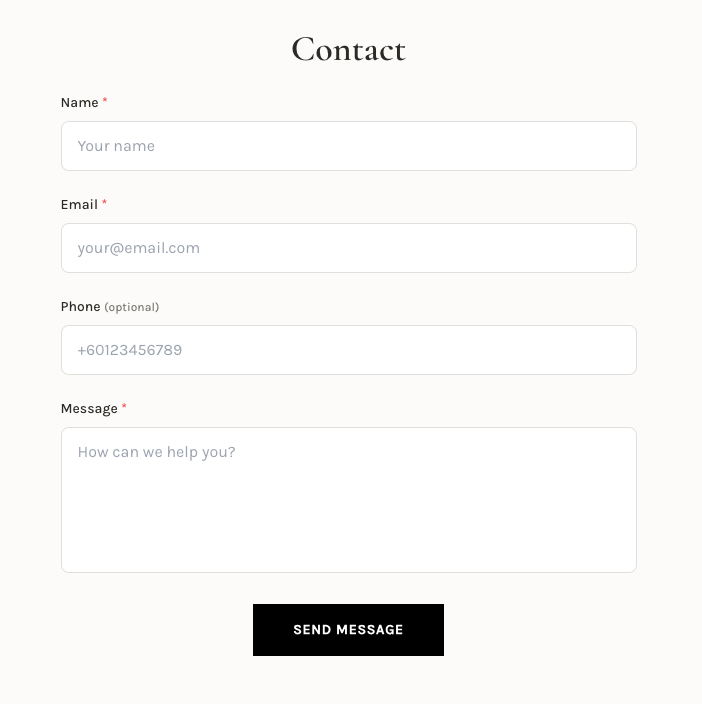
### Contact Page

{% hint style="info" %}
When a visitor submits the contact form, the prospect will automatically be recorded as a customer in your system. This allows you to manage and follow up with potential buyers more efficiently.
{% endhint %}

<figure><img src="https://3359028955-files.gitbook.io/~/files/v0/b/gitbook-x-prod.appspot.com/o/spaces%2F-Lh09fNwqqta5Vj6Wr8p%2Fuploads%2Fgit-blob-e89736f13454939fda5d99f6bf04ef027ce8e77d%2Fx7igePTzmbfhhVKUNe8r.png?alt=media" alt=""><figcaption></figcaption></figure>