> For the complete documentation index, see [llms.txt](https://docs.shoppego.my/tutorials/llms.txt). Markdown versions of documentation pages are available by appending `.md` to page URLs; this page is available as [Markdown](https://docs.shoppego.my/tutorials/en/partnerships/affiliates.md).

# Affiliates

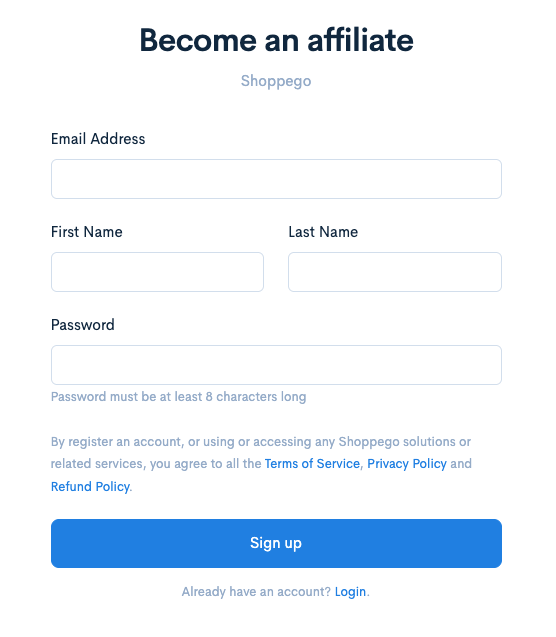
At Shoppego, you can already have your own affiliate account to promote our platform.

To register for an affiliate account, you can use the link below:

After registration is complete, you will receive an email regarding your registration. If your account has been verified, you will receive a notification via email to log in as usual.

{% hint style="info" %}
For users who already have a Shoppego account, you can simply log in to your Shoppego account as usual.
{% endhint %}

<figure><img src="https://3359028955-files.gitbook.io/~/files/v0/b/gitbook-x-prod.appspot.com/o/spaces%2F-Lh09fNwqqta5Vj6Wr8p%2Fuploads%2Fgit-blob-656a975d81c38f18315e214c46c05728170e49db%2FoAqRouuJJKz3ZmHWAovd.png?alt=media" alt=""><figcaption></figcaption></figure>

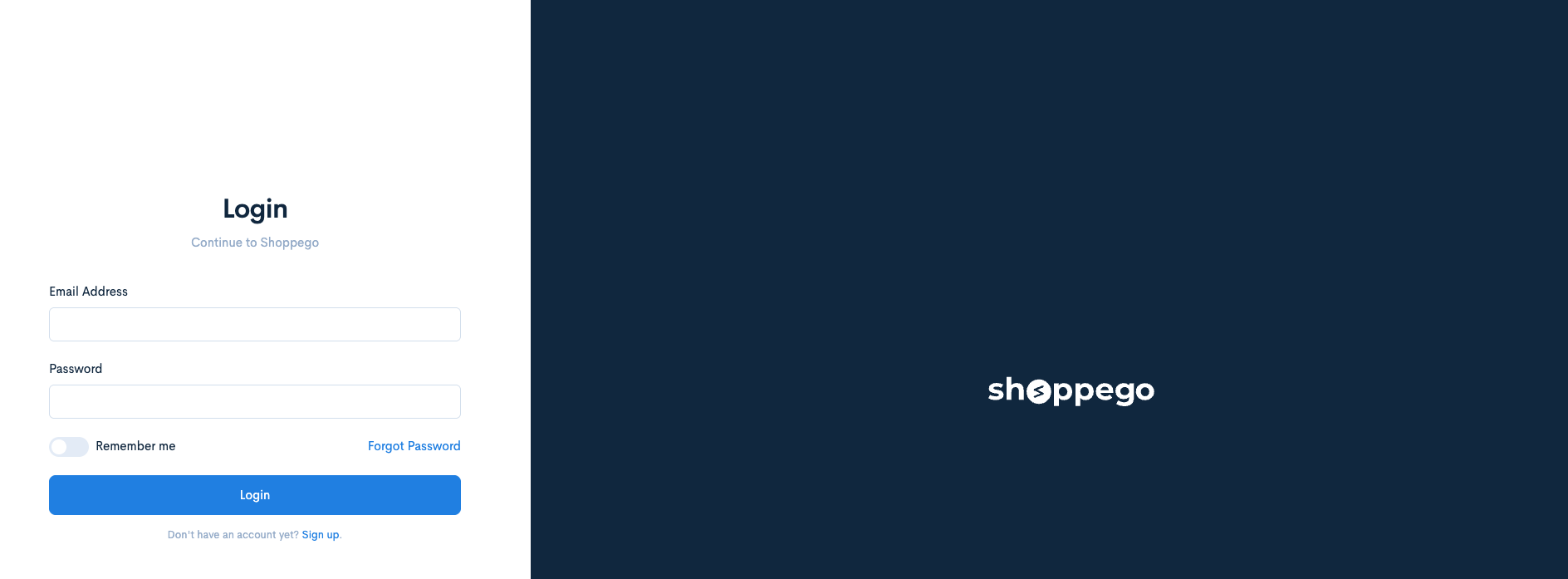
1. Next, you can log in as usual to your affiliate account using this link <https://my.shoppego.com/login>

<figure><img src="https://3359028955-files.gitbook.io/~/files/v0/b/gitbook-x-prod.appspot.com/o/spaces%2F-Lh09fNwqqta5Vj6Wr8p%2Fuploads%2Fgit-blob-afe61bef434508d8d2988671333233ff90cc9d5c%2FBDKo8G4Sg7X10pNDcoas.png?alt=media" alt=""><figcaption></figcaption></figure>

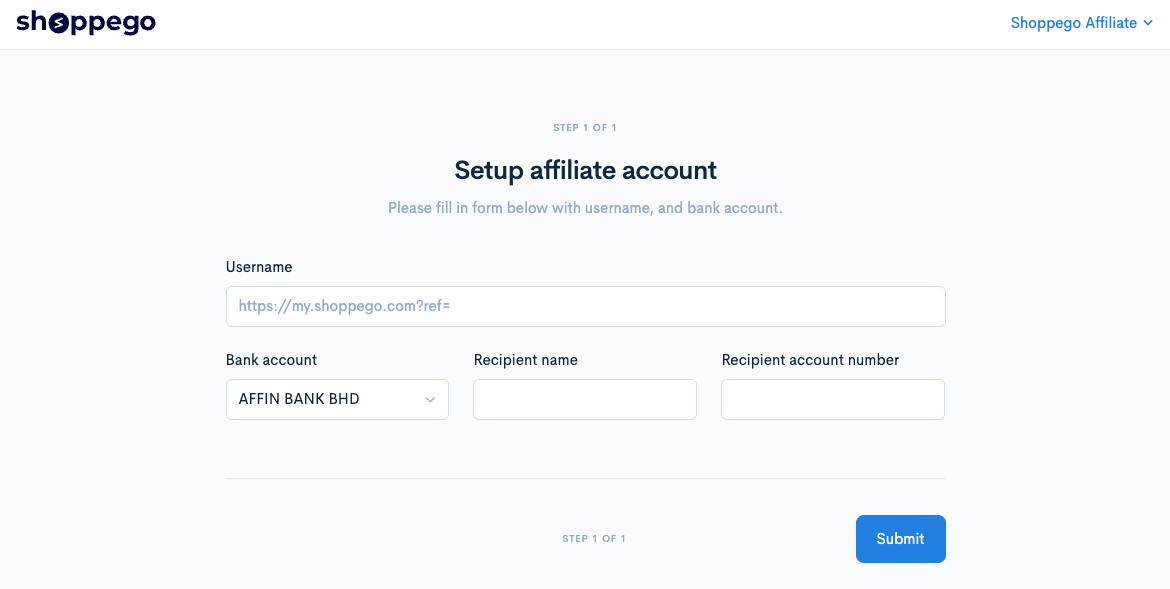
2. For first-time registration, you will be asked to enter your bank account information and affiliate link first for the purpose of paying commissions and so on later.

<figure><img src="https://3359028955-files.gitbook.io/~/files/v0/b/gitbook-x-prod.appspot.com/o/spaces%2F-Lh09fNwqqta5Vj6Wr8p%2Fuploads%2Fgit-blob-88e8599730ba8183b3d8b44646702869fd4d9979%2F1mTnyCOxI6BwIiZkTTAO.png?alt=media" alt=""><figcaption></figcaption></figure>

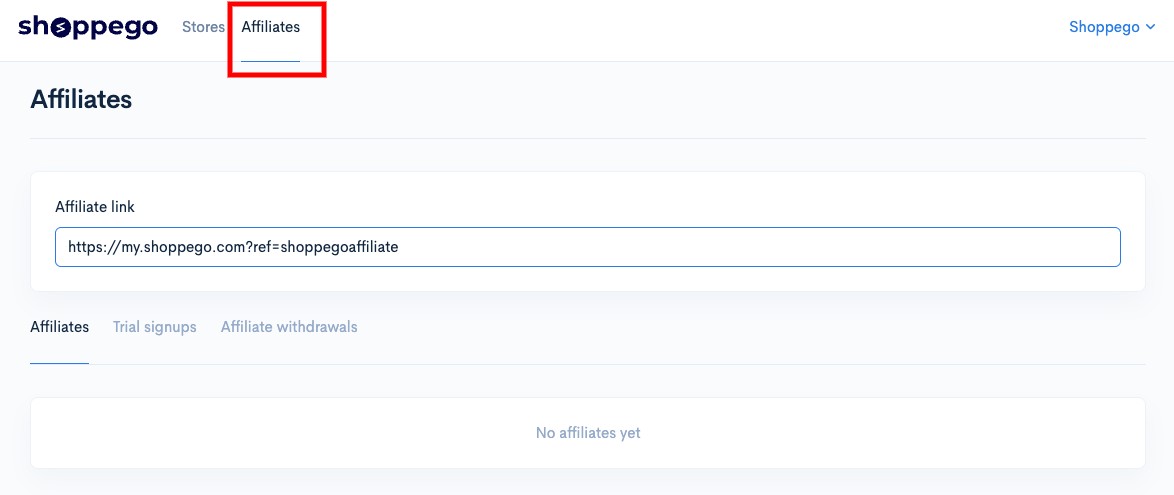
3. Once completed, you can use the affiliate function as usual by clicking on the **Affiliates** menu.

<figure><img src="https://3359028955-files.gitbook.io/~/files/v0/b/gitbook-x-prod.appspot.com/o/spaces%2F-Lh09fNwqqta5Vj6Wr8p%2Fuploads%2Fgit-blob-5f13363fed529e6ef3d332ed24e145dd173098fb%2FMX4FQZQNPDHSu1GaSR38.jpg?alt=media" alt=""><figcaption></figcaption></figure>

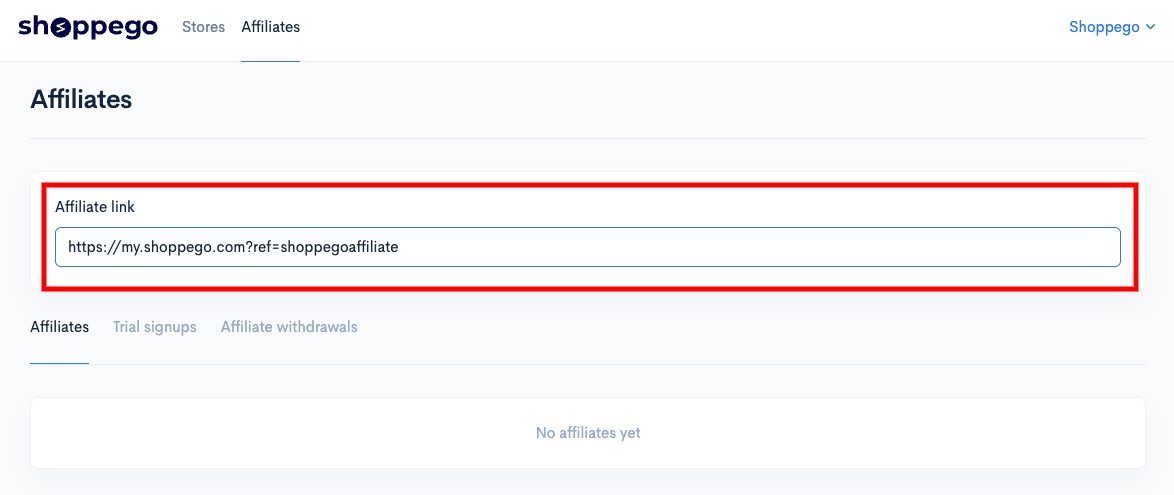
#### Affiliate link

You can use this link to share on any platform. If the link is clicked, you can see the data in our provided space.

<figure><img src="https://3359028955-files.gitbook.io/~/files/v0/b/gitbook-x-prod.appspot.com/o/spaces%2F-Lh09fNwqqta5Vj6Wr8p%2Fuploads%2Fgit-blob-4a2d0d6572e315ba4ca7d03593eb5d1e07f6655e%2FsKt2DaRiUm2we7Uw04xl.jpg?alt=media" alt=""><figcaption></figcaption></figure>

#### Affiliates

This section will display all data regarding users who have clicked or subscribed to the Shoppego plan through your affiliate link. It will also display the amount of commission you have received for any links that have made a plan subscription payment.

<figure><img src="https://3359028955-files.gitbook.io/~/files/v0/b/gitbook-x-prod.appspot.com/o/spaces%2F-Lh09fNwqqta5Vj6Wr8p%2Fuploads%2Fgit-blob-8a3969ffd8d503bf95c57b87fbf1e3ca0356b94a%2Fvmus96NOxpA2YMtNtIQC.jpg?alt=media" alt=""><figcaption></figcaption></figure>

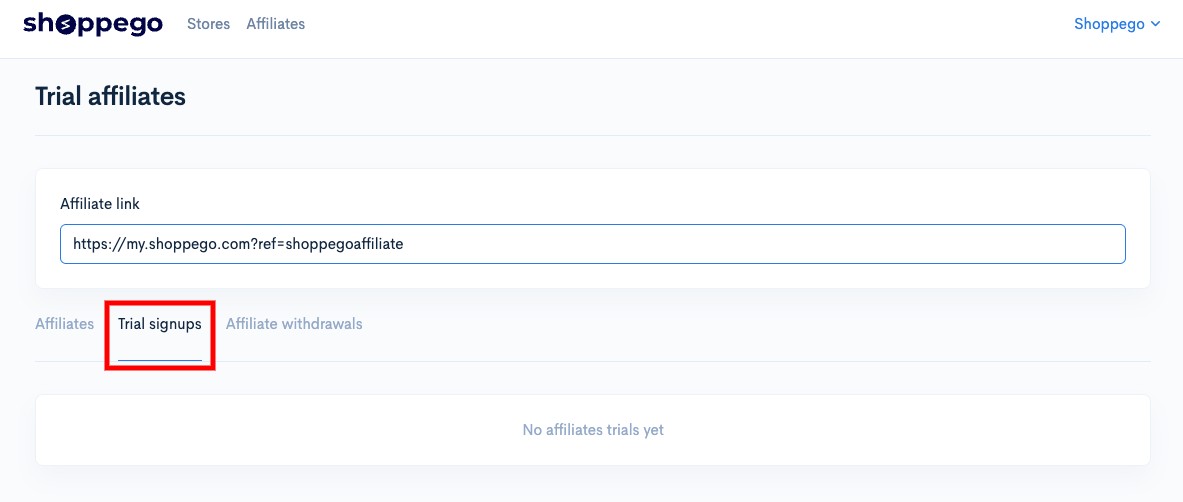
#### Trial signups

This column will display all data for users who have only registered for a Shoppego account without subscribing to any of Shoppego's paid plans.

<figure><img src="https://3359028955-files.gitbook.io/~/files/v0/b/gitbook-x-prod.appspot.com/o/spaces%2F-Lh09fNwqqta5Vj6Wr8p%2Fuploads%2Fgit-blob-fd27c1aeb2e19478aee8b2f3edbf397dc7e16abd%2FhHxmLtWR0nLhMvBNyc2Q.jpg?alt=media" alt=""><figcaption></figcaption></figure>

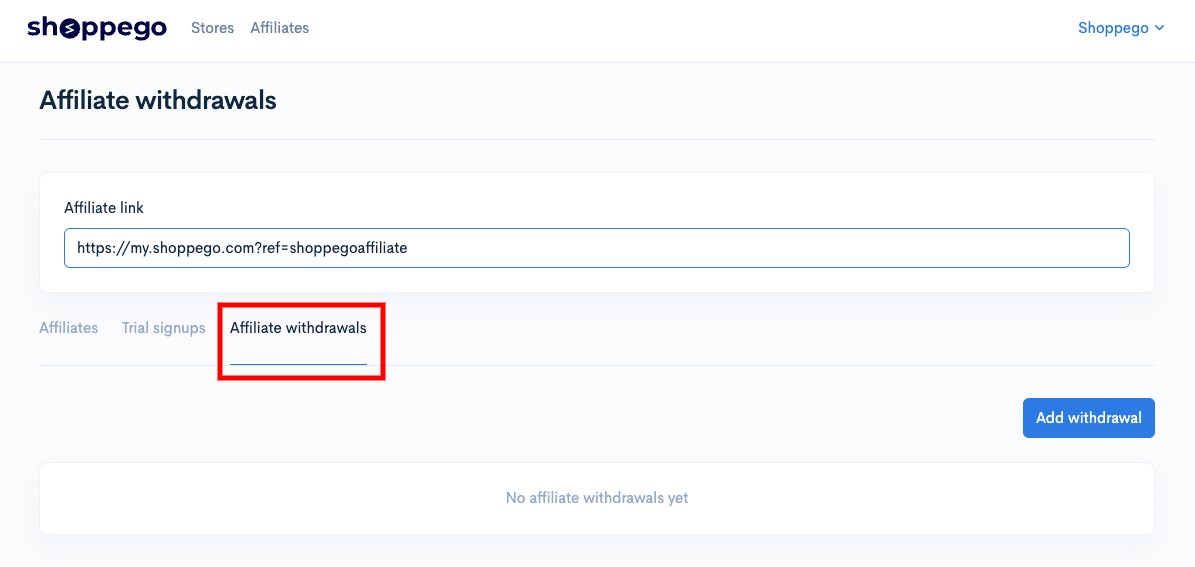
#### Affiliate withdrawals

This section is for you to apply for the withdrawal of commissions that you have received through your affiliate link. The status of your commission withdrawal application will also be displayed here.

<figure><img src="https://3359028955-files.gitbook.io/~/files/v0/b/gitbook-x-prod.appspot.com/o/spaces%2F-Lh09fNwqqta5Vj6Wr8p%2Fuploads%2Fgit-blob-58ee18d49e5c8291d82a5b4818fc82c47584a7ee%2FaVnqKlPEOXeU1CRfTBfn.jpg?alt=media" alt=""><figcaption></figcaption></figure>

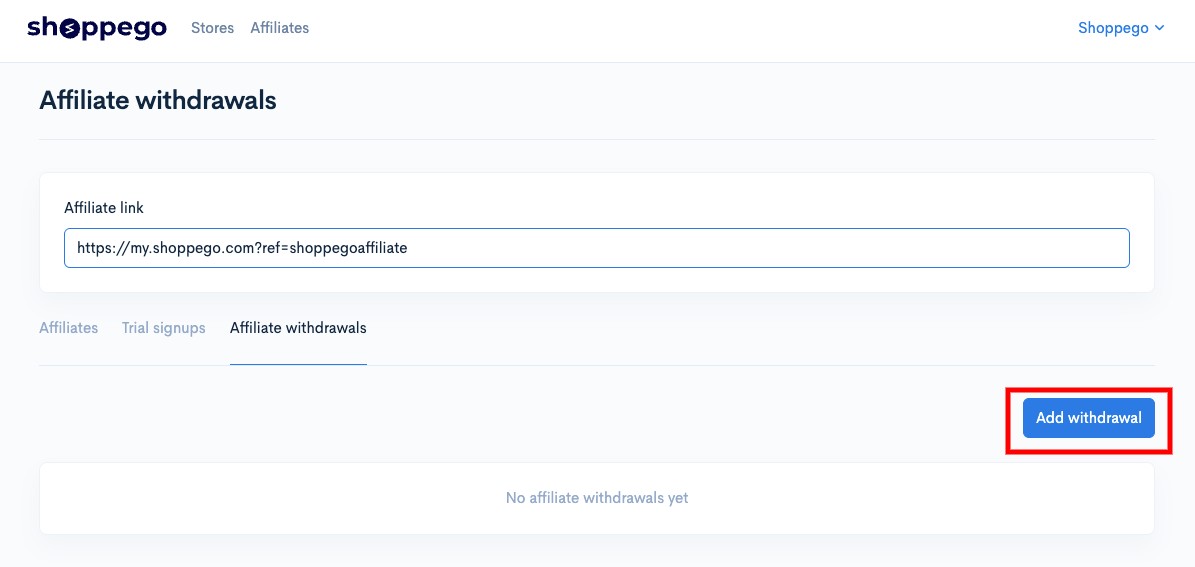
1. To make a withdrawal request, you can click on the **Add withdrawal** button.

<figure><img src="https://3359028955-files.gitbook.io/~/files/v0/b/gitbook-x-prod.appspot.com/o/spaces%2F-Lh09fNwqqta5Vj6Wr8p%2Fuploads%2Fgit-blob-d720bfc30ec069e4da10159ceb99c27306d843c8%2FD4BlEvH0ah5UPiqgZqt5.jpg?alt=media" alt=""><figcaption></figcaption></figure>

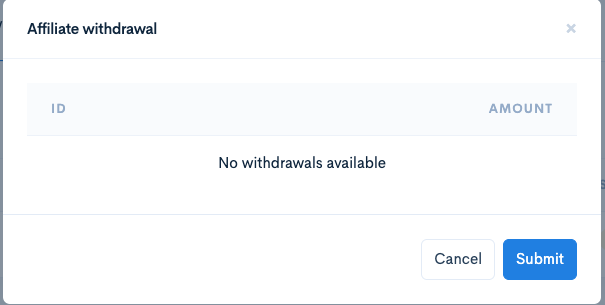
2. Then, you can check all the payment amounts you will receive and click **Submit**

<figure><img src="https://3359028955-files.gitbook.io/~/files/v0/b/gitbook-x-prod.appspot.com/o/spaces%2F-Lh09fNwqqta5Vj6Wr8p%2Fuploads%2Fgit-blob-82230839ee1b4b500dd043e7a29393f347655369%2FbkDB7j7Dz8OYcdiutfR3.png?alt=media" alt=""><figcaption></figcaption></figure>

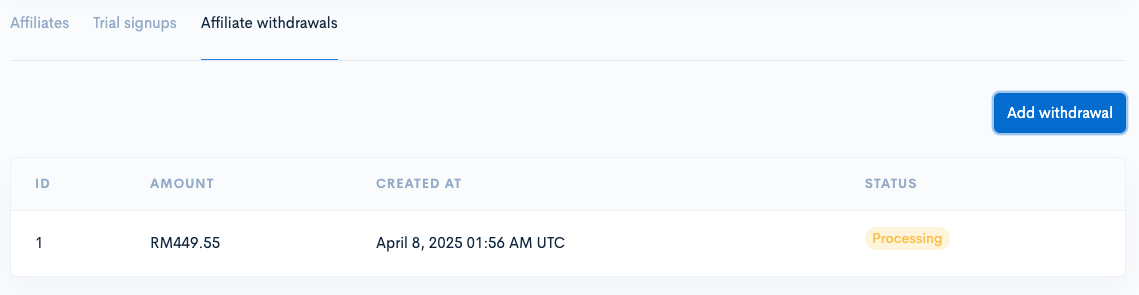
3. Once successful, you will be able to see the payment status.
<figure><img src="https://3359028955-files.gitbook.io/~/files/v0/b/gitbook-x-prod.appspot.com/o/spaces%2F-Lh09fNwqqta5Vj6Wr8p%2Fuploads%2Fgit-blob-dddcbaf37c3a844e3d18ddba0eb069b7721a436d%2FAVrFU566EA0CUQ5FWTU0.png?alt=media" alt=""><figcaption></figcaption></figure>