> For the complete documentation index, see [llms.txt](https://docs.shoppego.my/tutorials/llms.txt). Markdown versions of documentation pages are available by appending `.md` to page URLs; this page is available as [Markdown](https://docs.shoppego.my/tutorials/en/products.md).
# Products
Managing your sales products starts with uploading products, product variants, setting options and so on.
## Bulk Edit
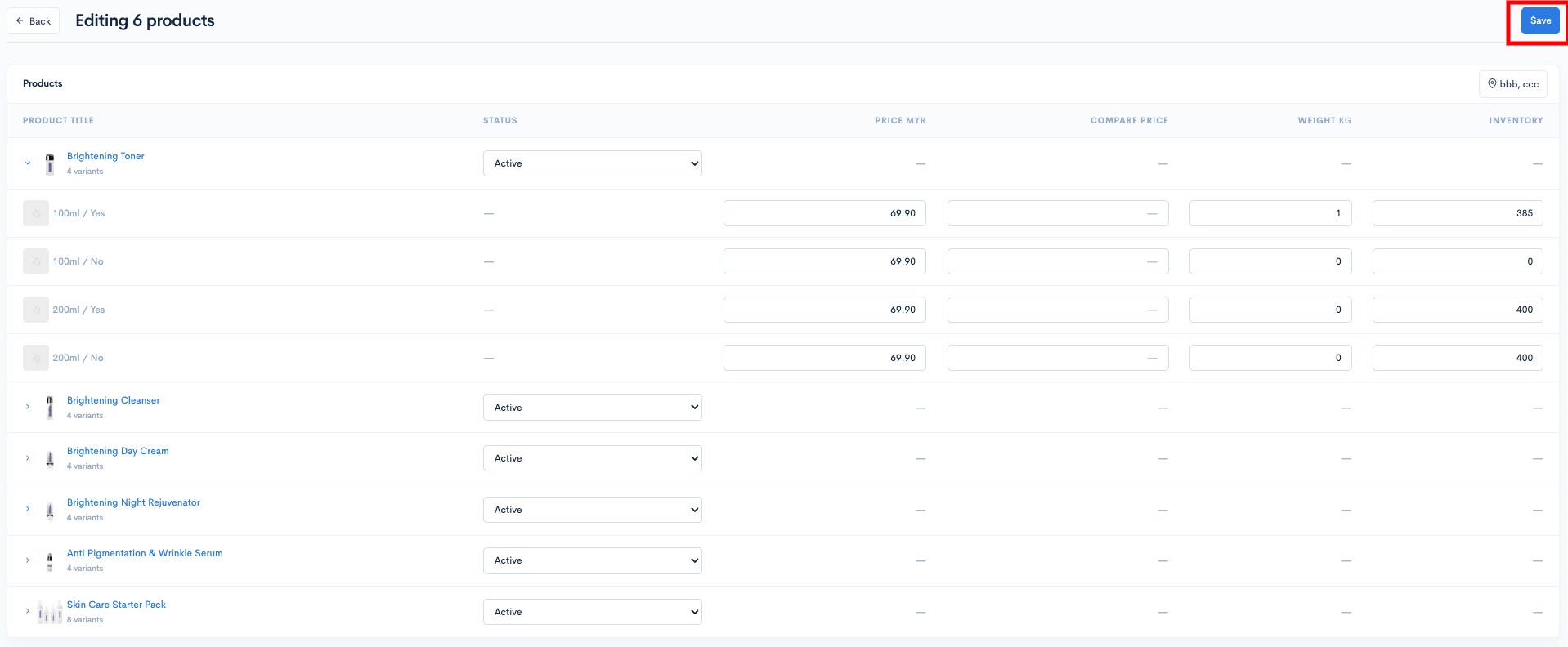
From the Products dashboard page, you can also make changes to your product variants in bulk. There are several information changes you can make, namely, Variants Price, Compare at price, Weight and Inventory.
To use the bulk edit function, you can:
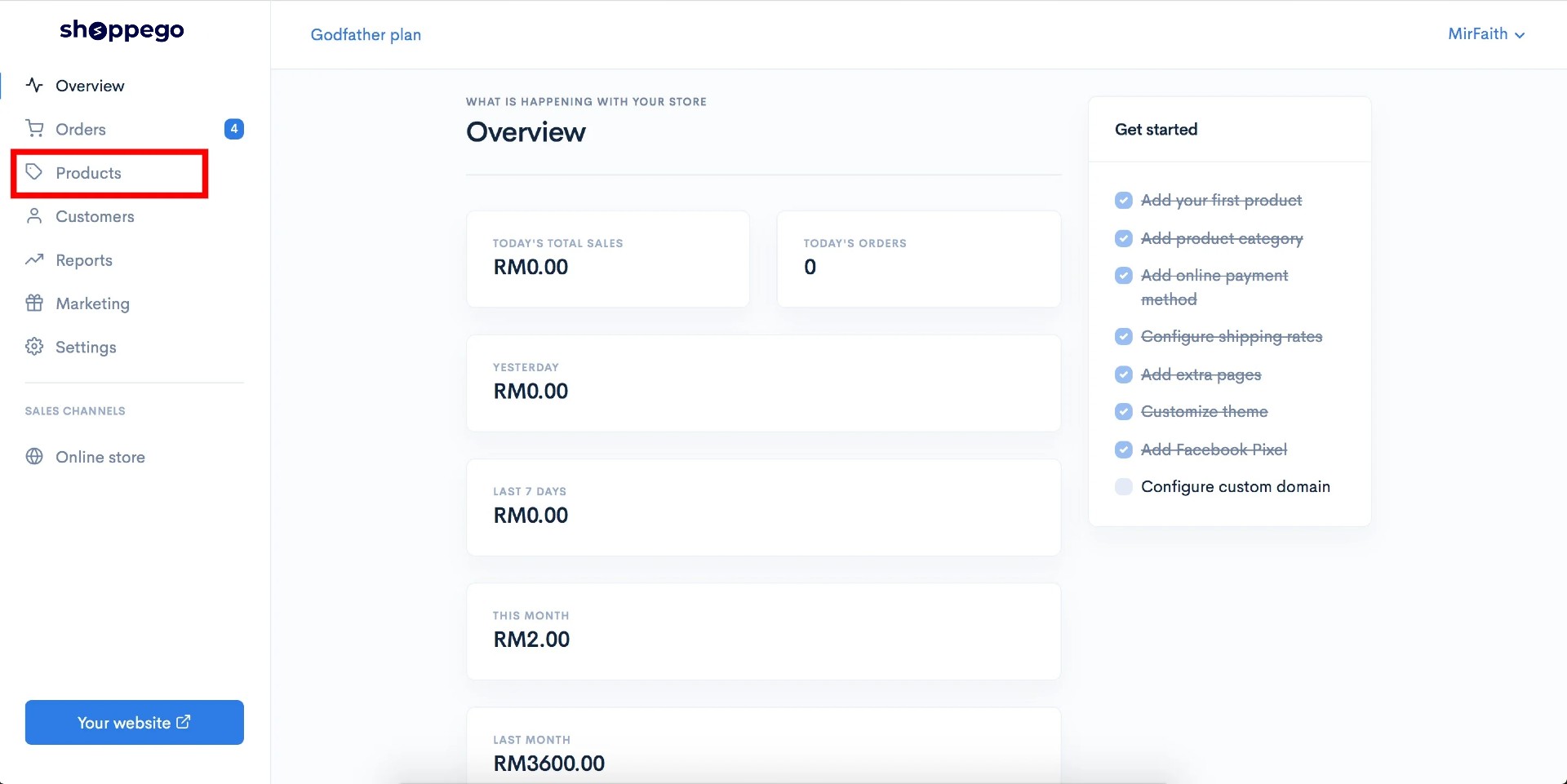
1. Log in to your Shoppego account.
2. Click on **Products**
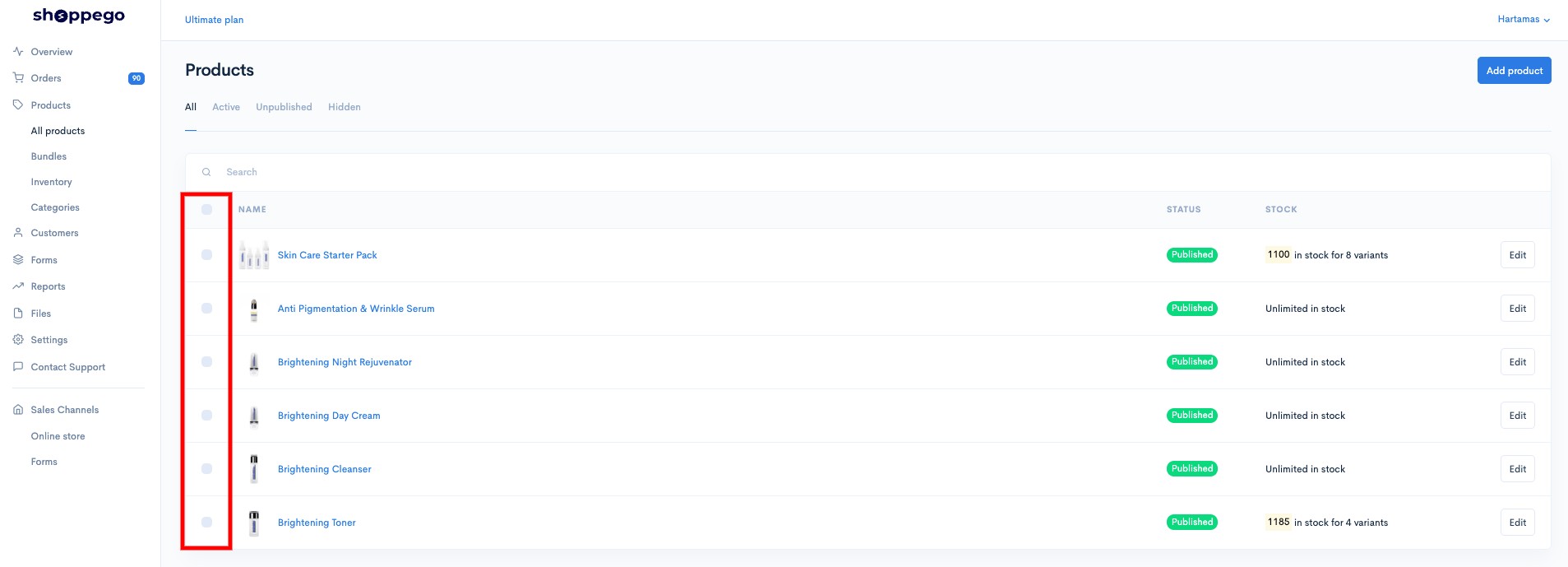
3. Tick on the product you want to change in bulk.
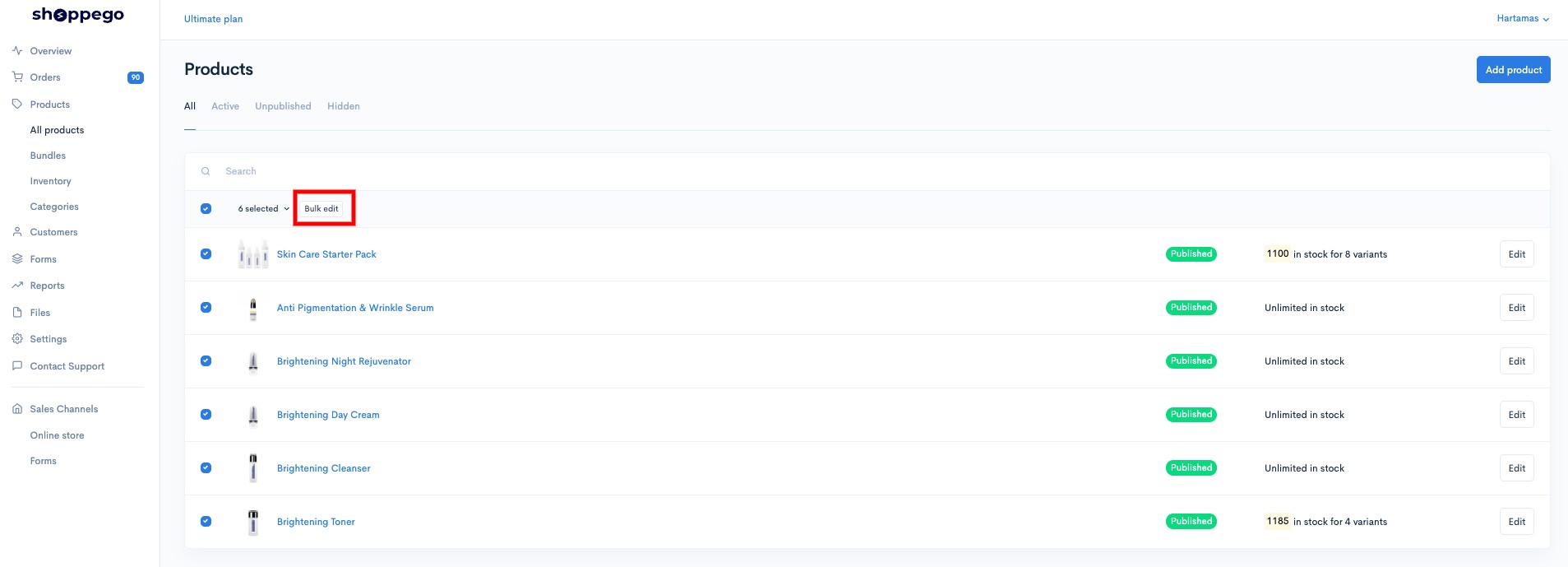
4. Click on **Bulk edit**
5. Next, you can make changes as usual and click **Save**.
You can also see settings for:
{% content-ref url="/pages/JfQb9kbGjmPfT0DP4Kk4" %}
[Physical Product](/tutorials/en/products/physical-product.md)
{% endcontent-ref %}
{% content-ref url="/pages/j2Hla8Qzd66soAFflsAd" %}
[Digital Product](/tutorials/en/products/digital-product.md)
{% endcontent-ref %}
{% content-ref url="/pages/URi9key0yGqF0YqIxNKL" %}
[Options](/tutorials/en/products/options.md)
{% endcontent-ref %}
{% content-ref url="/pages/Q2zeGDkYdA4VqZfvtO6x" %}
[Variants](/tutorials/en/products/variants.md)
{% endcontent-ref %}
{% content-ref url="/pages/S1ipXmqtutA3Z3KxNfVO" %}
[Purchase Limit](/tutorials/en/products/purchase-limit.md)
{% endcontent-ref %}
{% content-ref url="/pages/ROtfsc9t0oWUuwvlhQlE" %}
[Wholesale](/tutorials/en/products/wholesale.md)
{% endcontent-ref %}
{% content-ref url="/pages/Mz8t9E90hfXAOR7wNbjM" %}
[SEO Snippet](/tutorials/en/products/seo-snippet.md)
{% endcontent-ref %}
{% content-ref url="/pages/YIZwj1eAFfAIRf1Fs4Qp" %}
[Bundles](/tutorials/en/products/bundles.md)
{% endcontent-ref %}
{% content-ref url="/pages/uuKH7DD5HX8fxPxYodny" %}
[Categories](/tutorials/en/products/categories.md)
{% endcontent-ref %}