> For the complete documentation index, see [llms.txt](https://docs.shoppego.my/tutorials/llms.txt). Markdown versions of documentation pages are available by appending `.md` to page URLs; this page is available as [Markdown](https://docs.shoppego.my/tutorials/en/settings/custom-domain/cloudflare.md).
# Cloudflare
{% hint style="danger" %}
This tutorial is for those who **have problems** with the use of DNS by domain providers.
{% endhint %}
Each domain purchased has a section called Nameserver for us to give access to platforms such as Cloudflare to manage our DNS.
**Starting February 26, 2026, every Shoppego user only need to do a CNAME record and every store/website will have the same CNAME record value/setting.**
## **Domain Migration**
## Part 1: Value CNAME Record
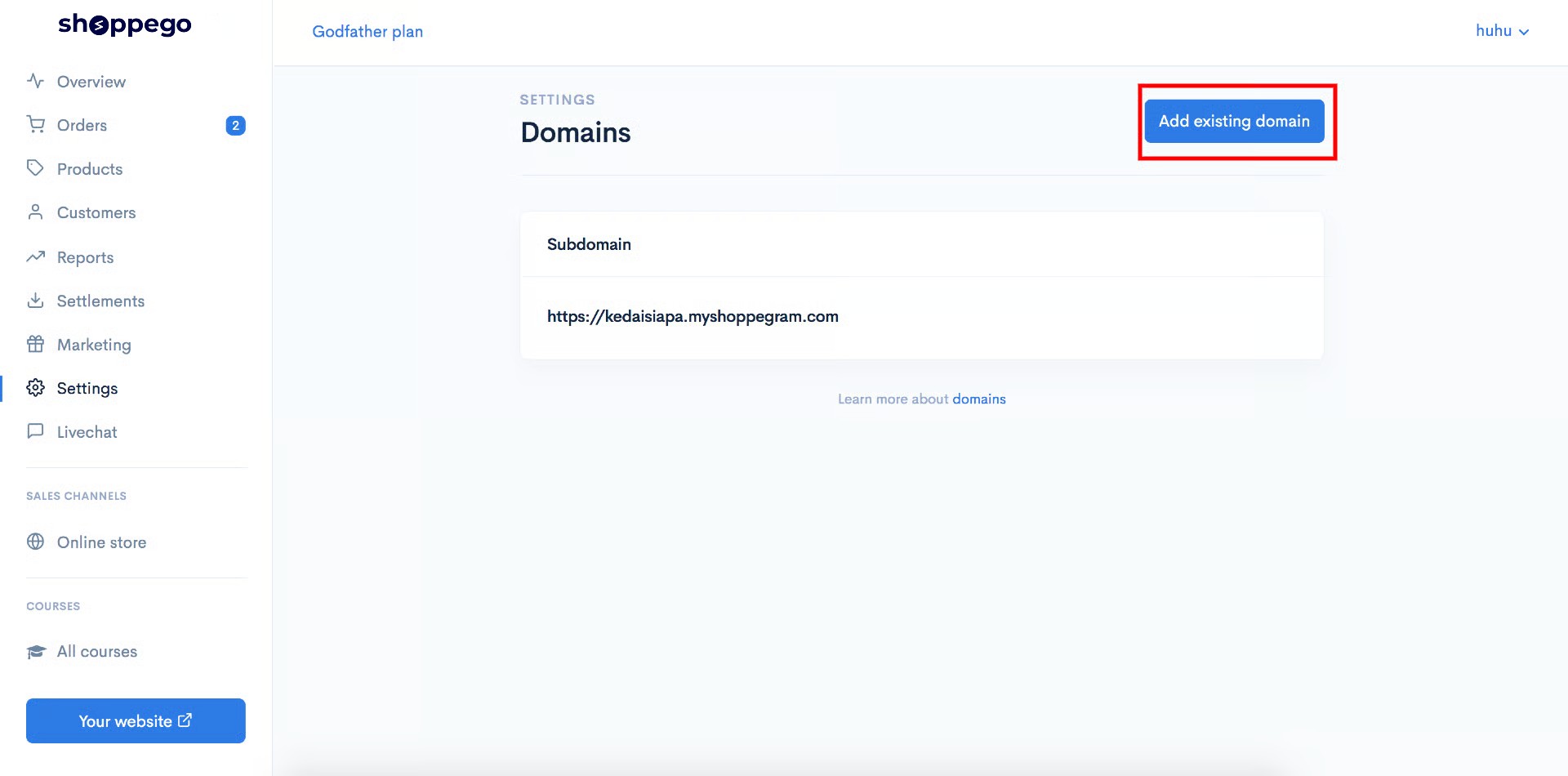
1\. You can log in to the **Shoppego Dashboard.**

2\. Click on **Settings.**
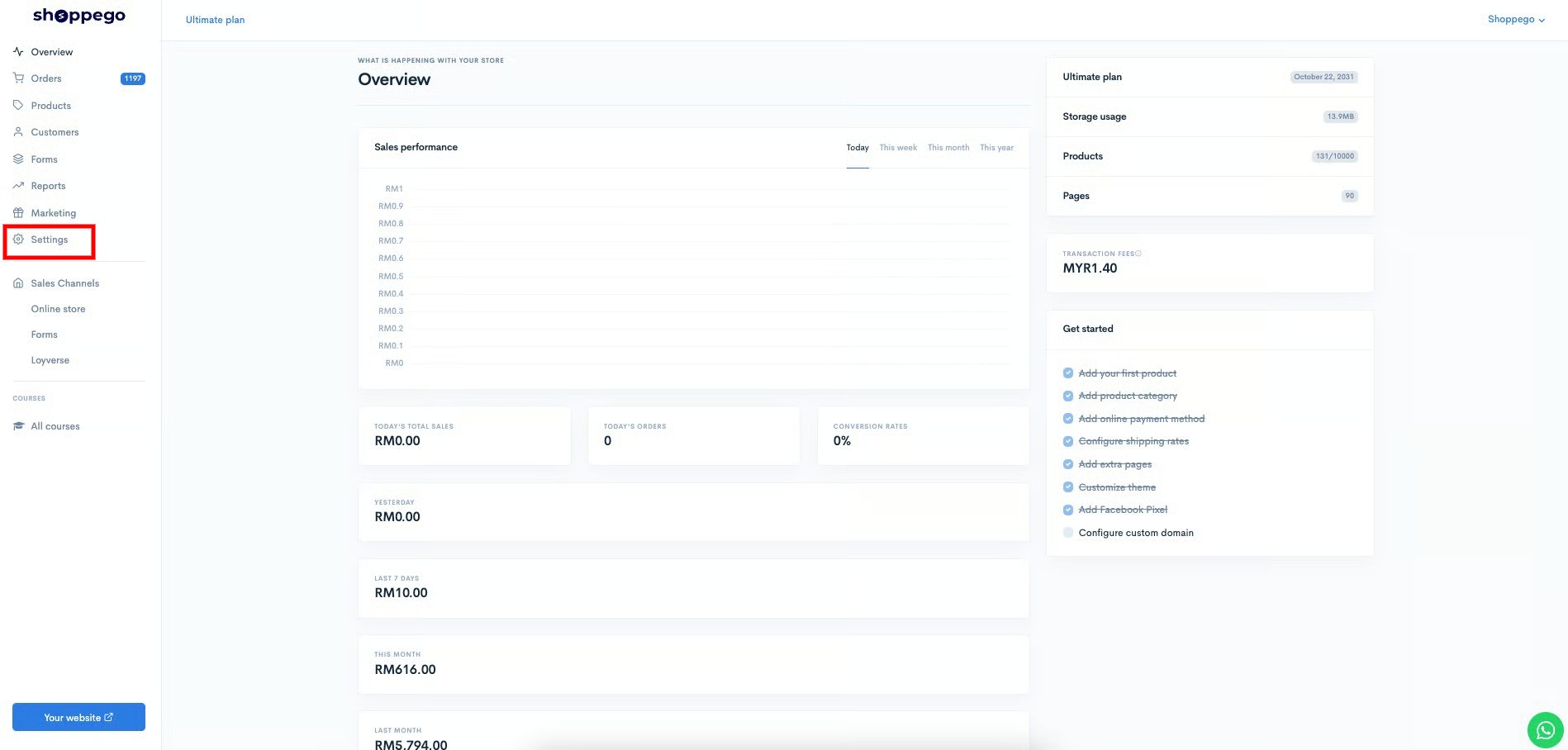
3\. Click on **Custom domain.**

4\. Click on **Add existing domain.**
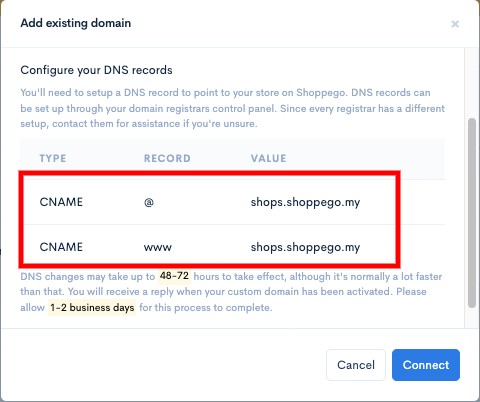
5\. Later you will be able to see a popup that has a **value for your CNAME record**.
{% hint style="info" %}
**CNAME designation in the domain provider.**\
1: If the **CNAME value** is **@**, enter **your domain name** or "**@**" in the **CNAME field** in the domain provider.
{% endhint %}
{% hint style="info" %}
You need to save the **Value** for **CNAME record** for you to enter in your domain's **DNS record** in the domain provider's system later.
{% endhint %}
## Part 2: Cloudflare Registration
1. Go to the following link . Enter your email and password to **register** and click **Create Account.**

2. Enter your purchased domain name from your domain provider. Then, click **Add Site**.
{% hint style="info" %}
In this section, you need to **enter the domain name ****without** [**www**](http://www)**.**
{% endhint %}

3. Next click on **Free Plan** and click **Confirm Plan.**

## Part 3: DNS Setup
Wait until the display like the picture below comes out.

{% hint style="warning" %}
If there are any **DNS records that are different** from the settings below, you can **delete** all of those records and refer back to the settings below.
{% endhint %}
{% hint style="info" %}
If the value of the **DNS record is the same** as the display below, you can just **ignore** the settings below.
{% endhint %}
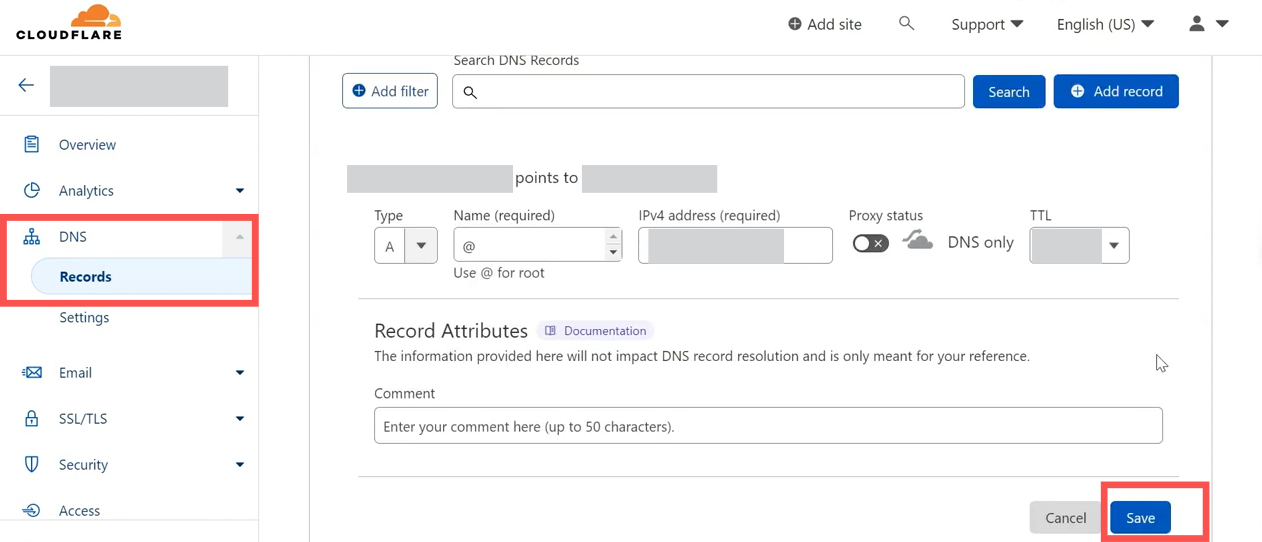
### 1: CNAME record settings:
1. For the **CNAME record** settings, you can select the CNAME **dropdown** and enter the information in the corresponding fields:
* **Type**: CNAME
* **Name**: @
* **Target**: shops.shoppego.my
* **Proxy Status**: DNS Only (\*\***Note**: Make sure the **cloud icon** is **gray**)
* **TTL**: Automatic / 1 Hour
After completing the settings, click the **Save** button.
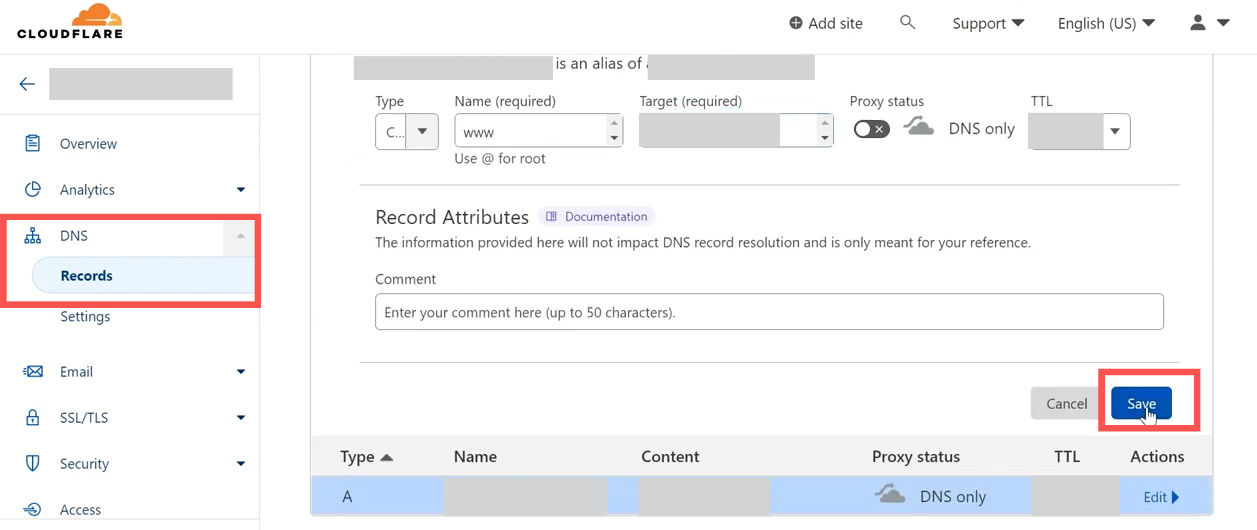
### 2: Setting up CNAME www Record(Optional):
2. For **CNAME Record**, select the **CNAME dropdown** and enter the information in the fields:
* **Type**: CNAME
* **Name**: www
* **Target**: shops.shoppego.my
* **Proxy Status**: DNS Only (\*\***Note**: Make sure the **cloud icon** is **gray**)
* **TTL**: Automatic / 1 hour
After completing, click the **Save** button.
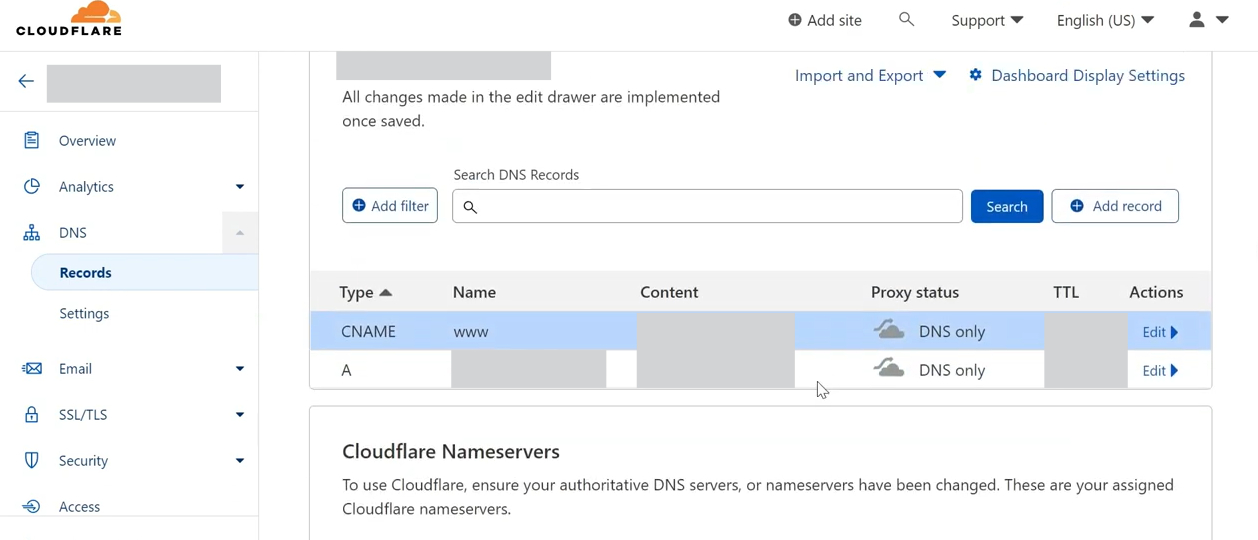
3. When you have finished making the settings, the display you will receive is as follows:
### 3: Nameserver Setting
1. Next in the **Proxy Status** column, there is an **orange cloud (Proxied)** icon.
{% hint style="info" %}
**Click on the icon** to change it to **gray (DNS Only)** and click **Save**. Do it for the **A record** and also the **CNAME record**.
{% endhint %}
2. Then click **Continue.**

3. After clicking **Continue**, the display as below will appear. Click **Continue by default**

4. Then there will be a nameserver from Cloudflare that you can use in your domain name provider.

5. Log in to your domain name provider's account and delete the nameserver on your domain provider. **Replace with Cloudflare nameserver** that has been provided as shown below :

6. After you replace the nameservers click the **Done** button, **check nameservers**.
{% hint style="info" %}
If you **encounter any issues** with changing your nameservers, you can **contact your domain provider for assistance** in making these changes.
{% endhint %}