> For the complete documentation index, see [llms.txt](https://docs.shoppego.my/tutorials/llms.txt). Markdown versions of documentation pages are available by appending `.md` to page URLs; this page is available as [Markdown](https://docs.shoppego.my/tutorials/en/settings/custom-domain/shinjiru/changing-nameserver.md).
# Changing Nameserver
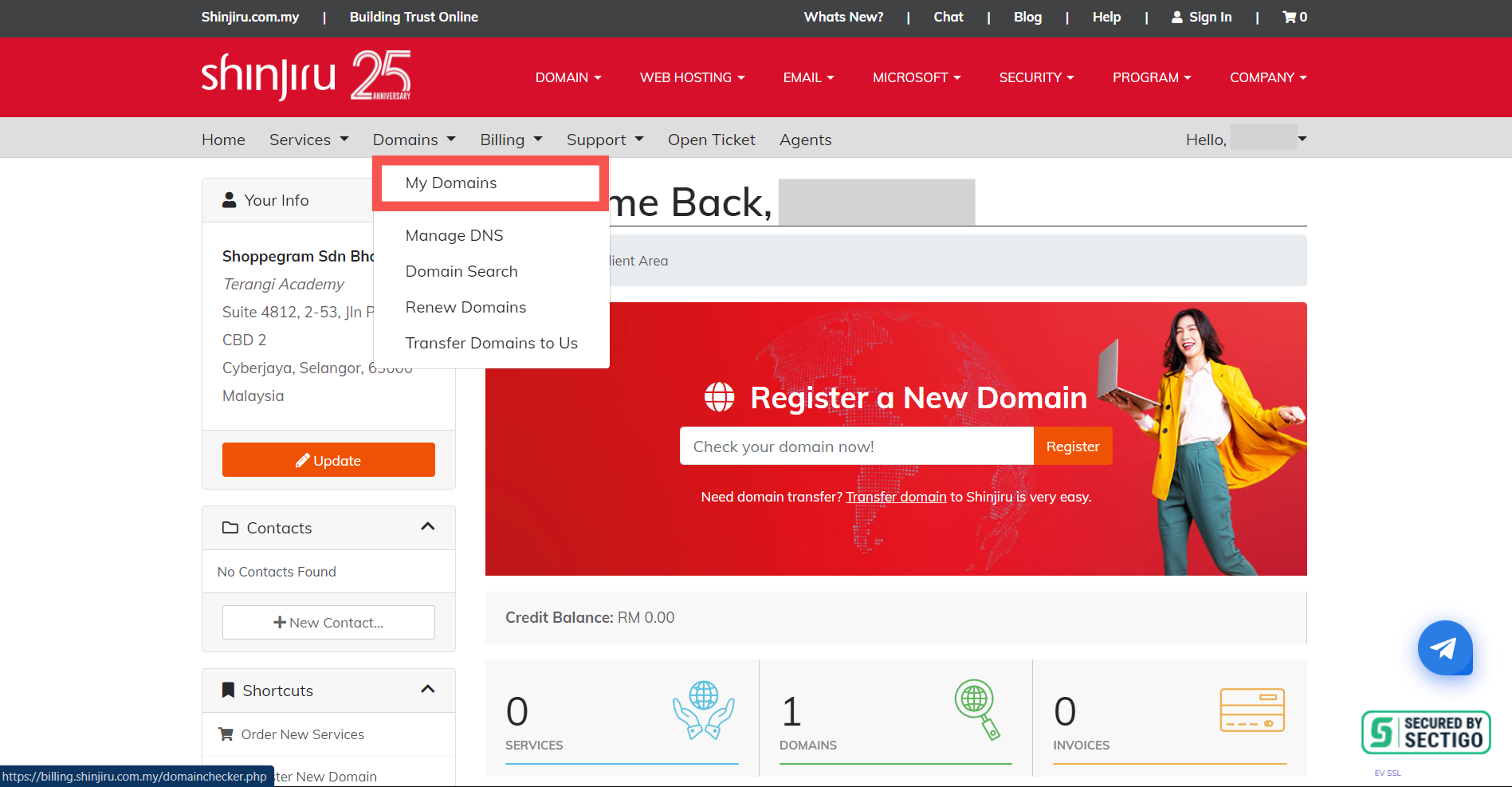
1. To change the Nameserver in Shinjiru, you can click on the **Domains dropdown** and **click My Domains**.
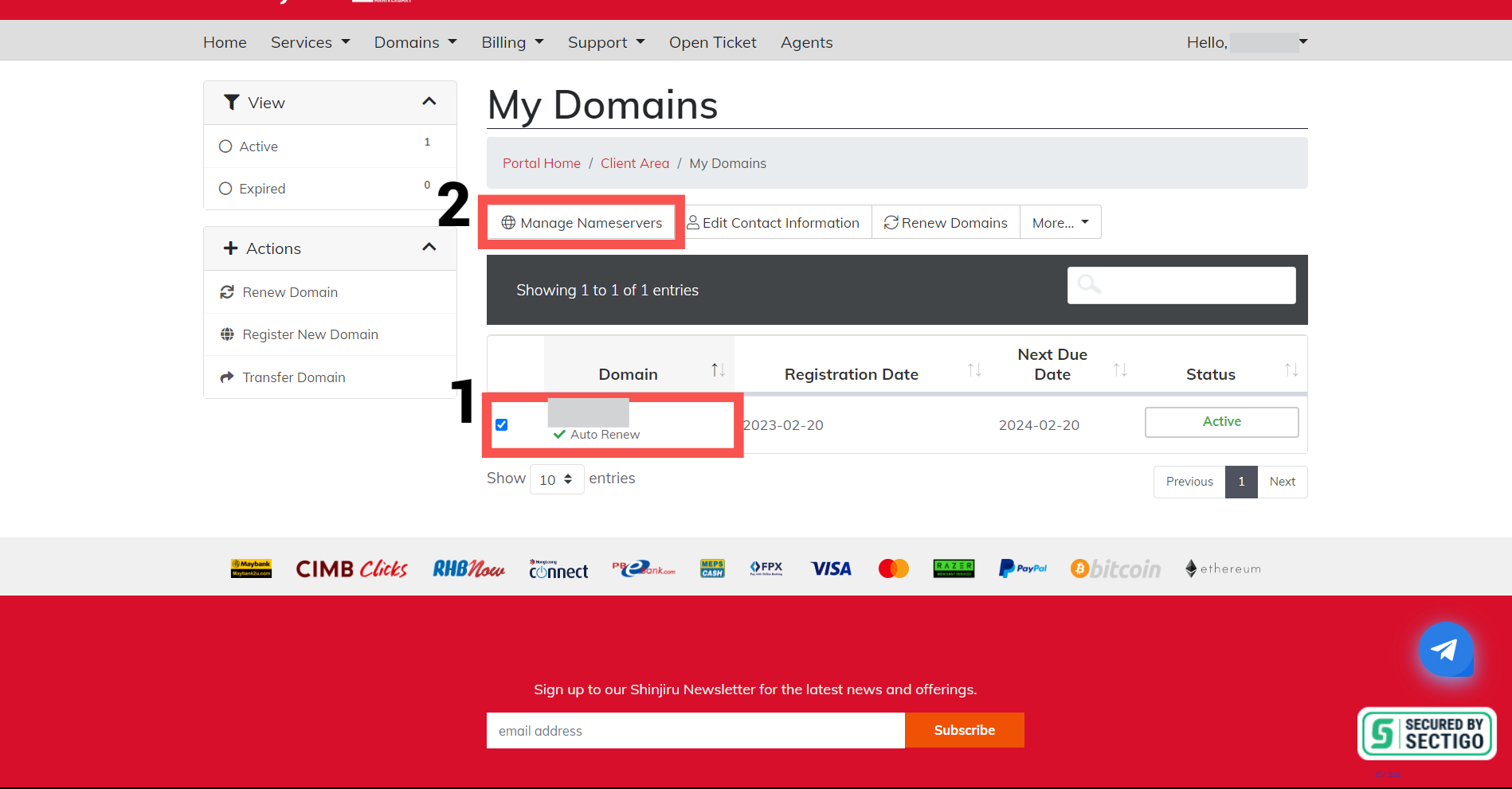
2. Then, make sure you **tick your domain (1)** and click on **Manage Nameservers (2)**.
3. Click on the "**Advanced Settings**" tab.
4. Select "**Use custom nameservers**" from the list of options.
5. Enter the Cloudflare nameservers you obtained in the "**DNS**" tab of your Cloudflare account in the appropriate spaces. You will need to **enter at least two nameservers**.
6. Click on the "**Save Changes**" button to **update the nameservers** for your domain.
{% hint style="info" %}
After you save the changes, it may **take up to 24-48 hours** for the new nameservers to propagate across the internet.
{% endhint %}
{% hint style="danger" %}
During this time, your website **may experience some issues**, so it's important to plan accordingly.
{% endhint %}
{% hint style="info" %}
If you **experience any issues** with changing the nameservers, you can **contact the domain provider** to help you make this setting.
{% endhint %}
{% hint style="success" %}
Once propagation is complete, **your domain** will **use Cloudflare's nameservers** and you will be able to **manage your DNS settings through the Cloudflare dashboard**.
{% endhint %}