> For the complete documentation index, see [llms.txt](https://docs.shoppego.my/tutorials/llms.txt). Markdown versions of documentation pages are available by appending `.md` to page URLs; this page is available as [Markdown](https://docs.shoppego.my/tutorials/en/shopee/settings.md).

# Settings

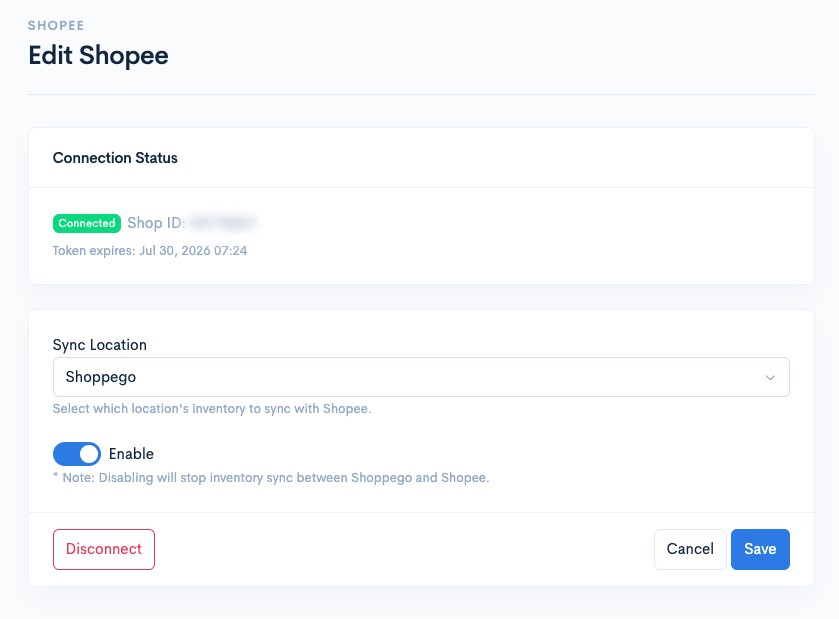
To modify your Shopee Seller integration settings, whether for location or the Shopee Seller account, you can go to the following section:

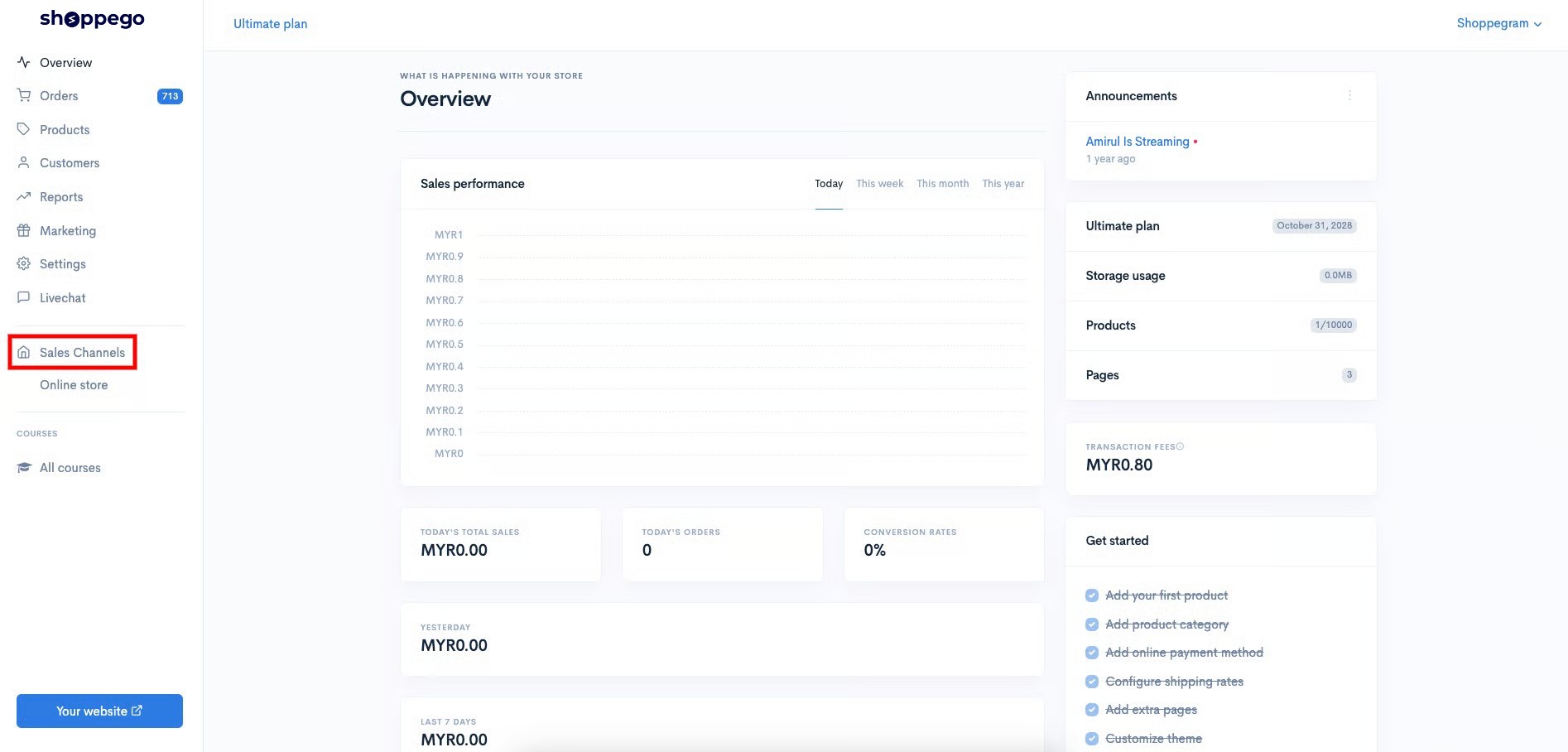
1. Log in to your Shoppego account

<figure><img src="https://3359028955-files.gitbook.io/~/files/v0/b/gitbook-x-prod.appspot.com/o/spaces%2F-Lh09fNwqqta5Vj6Wr8p%2Fuploads%2Fgit-blob-b853fc0189b34fb1d3990f5b1f53fa71deb9d384%2FlCN7aw3FznaFFoOAyya2.jpg?alt=media" alt=""><figcaption></figcaption></figure>

2. Click on **Sales Channels**

<figure><img src="https://3359028955-files.gitbook.io/~/files/v0/b/gitbook-x-prod.appspot.com/o/spaces%2F-Lh09fNwqqta5Vj6Wr8p%2Fuploads%2Fgit-blob-12334f2a8c94ef3ed5b34a4891fea465f7b304d3%2FukUIKKXQHEeJSqpbtcqi.jpg?alt=media" alt=""><figcaption></figcaption></figure>

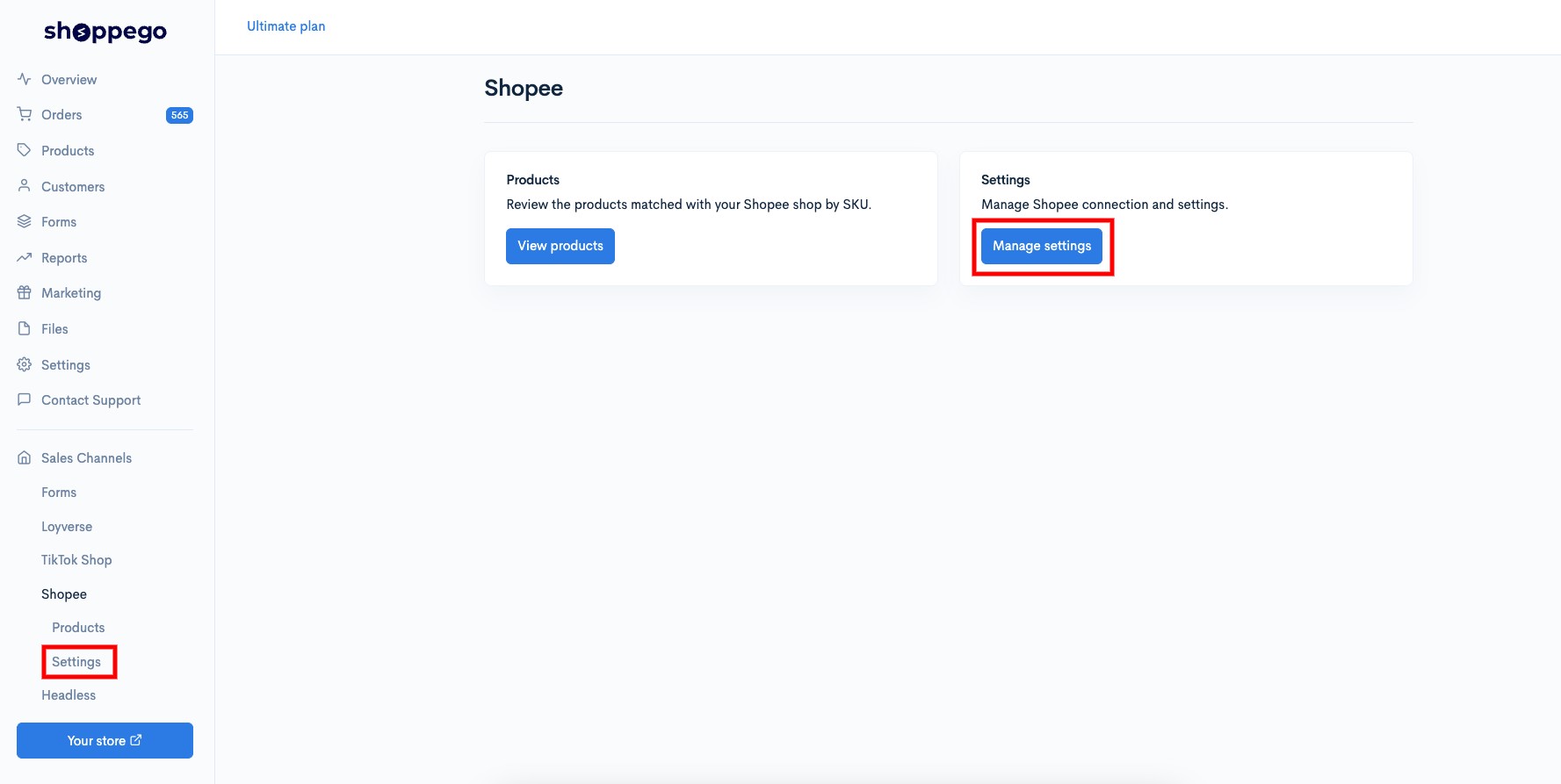
3. Click on **Shopee**

<figure><img src="https://3359028955-files.gitbook.io/~/files/v0/b/gitbook-x-prod.appspot.com/o/spaces%2F-Lh09fNwqqta5Vj6Wr8p%2Fuploads%2Fgit-blob-f86cffc7bdfdf79943d977568923cc1c4d8e59c9%2Fk14o4brp5OcdaxHweyJS.jpg?alt=media" alt=""><figcaption></figcaption></figure>

4. Click on **Settings**

<figure><img src="https://3359028955-files.gitbook.io/~/files/v0/b/gitbook-x-prod.appspot.com/o/spaces%2F-Lh09fNwqqta5Vj6Wr8p%2Fuploads%2Fgit-blob-5648c6fc809ef08974237db5124f75f63843f2d7%2Fv16i9OTK0o2k6reJZEYv.jpg?alt=media" alt=""><figcaption></figcaption></figure>

On this page, you will find several settings and pieces of information, including:

<figure><img src="https://3359028955-files.gitbook.io/~/files/v0/b/gitbook-x-prod.appspot.com/o/spaces%2F-Lh09fNwqqta5Vj6Wr8p%2Fuploads%2Fgit-blob-7fe9276084c4e39d160c2a3bbd61b6dd8421284b%2FZhfurudTB2bUpJM6kwCZ.jpg?alt=media" alt=""><figcaption></figcaption></figure>

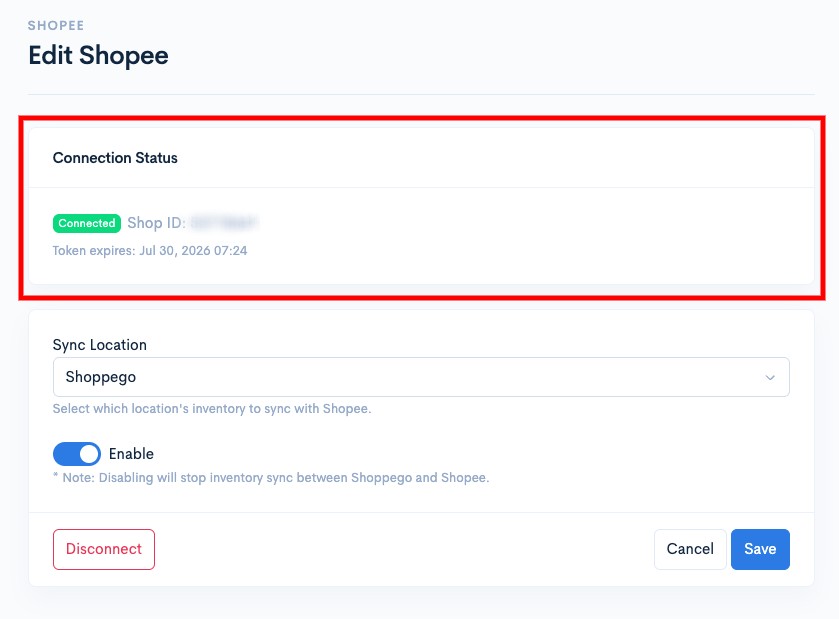
### View Shopee account integration info

<figure><img src="https://3359028955-files.gitbook.io/~/files/v0/b/gitbook-x-prod.appspot.com/o/spaces%2F-Lh09fNwqqta5Vj6Wr8p%2Fuploads%2Fgit-blob-bd80cb82967fe3c506b1efc72a02e9e501d6de7c%2F2XtJ2ClEgwl1QYnpyJ5x.jpg?alt=media" alt=""><figcaption></figcaption></figure>

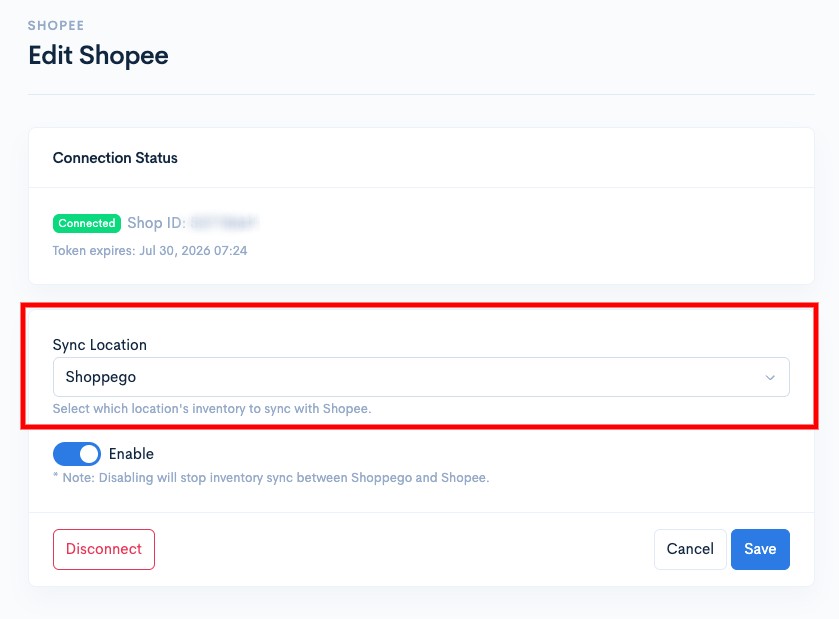
### Perform a location change to reconcile stock.

<figure><img src="https://3359028955-files.gitbook.io/~/files/v0/b/gitbook-x-prod.appspot.com/o/spaces%2F-Lh09fNwqqta5Vj6Wr8p%2Fuploads%2Fgit-blob-dbbfa00de73754a71325f146c2abfc2d0f9429f8%2FOYkxz0yz1rOLalY8b2Xw.jpg?alt=media" alt=""><figcaption></figcaption></figure>

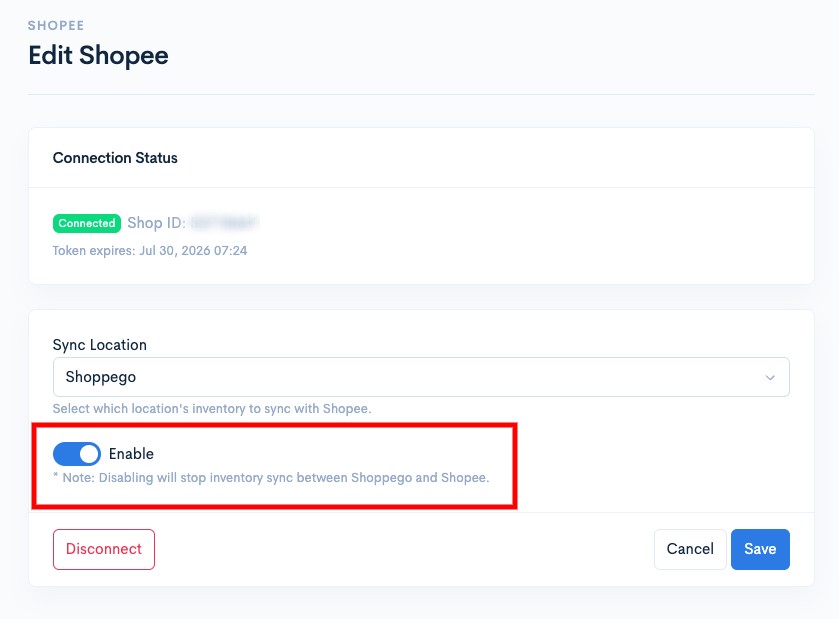
### Deactivate Shopee integration

<figure><img src="https://3359028955-files.gitbook.io/~/files/v0/b/gitbook-x-prod.appspot.com/o/spaces%2F-Lh09fNwqqta5Vj6Wr8p%2Fuploads%2Fgit-blob-94013fb1a3df9758687516bf00b1acdc8c8e9008%2FOOv14PMDr7oj8dLKyOmw.jpg?alt=media" alt=""><figcaption></figcaption></figure>

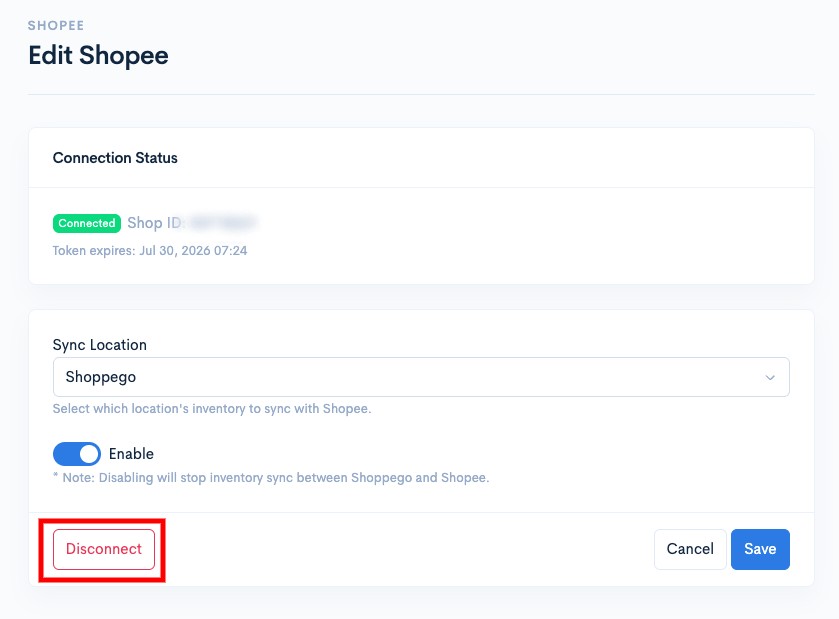
### Remove Shopee account integration

<figure><img src="https://3359028955-files.gitbook.io/~/files/v0/b/gitbook-x-prod.appspot.com/o/spaces%2F-Lh09fNwqqta5Vj6Wr8p%2Fuploads%2Fgit-blob-a887e639d2ee8fd3806e4d4f7e56430faf80a319%2F7jHVSVX0grsetYSvZ4yy.jpg?alt=media" alt=""><figcaption></figcaption></figure>

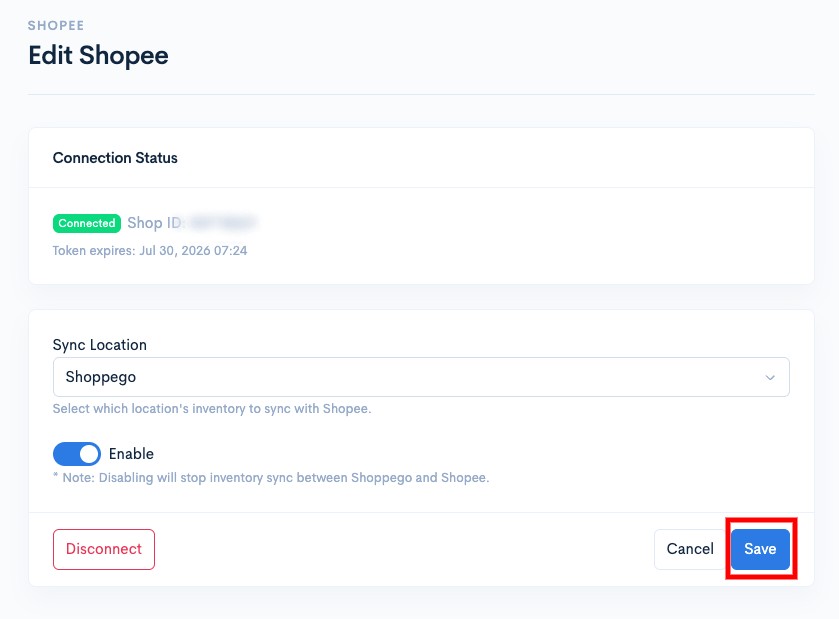
Make sure that for every change you make, you click on the **Save** button to save the setting.

<figure><img src="https://3359028955-files.gitbook.io/~/files/v0/b/gitbook-x-prod.appspot.com/o/spaces%2F-Lh09fNwqqta5Vj6Wr8p%2Fuploads%2Fgit-blob-cdd0a6b4418f0d8dc837a8fc6b5c288816b34b21%2FlQQXhgM0xU1bppgQbX0E.jpg?alt=media" alt=""><figcaption></figcaption></figure>