> For the complete documentation index, see [llms.txt](https://docs.shoppego.my/tutorials/llms.txt). Markdown versions of documentation pages are available by appending `.md` to page URLs; this page is available as [Markdown](https://docs.shoppego.my/tutorials/en/tiktok-shop/products.md).

# Products

To sync your products on the Shoppego website and on the TikTok Shop, you can go to the section:

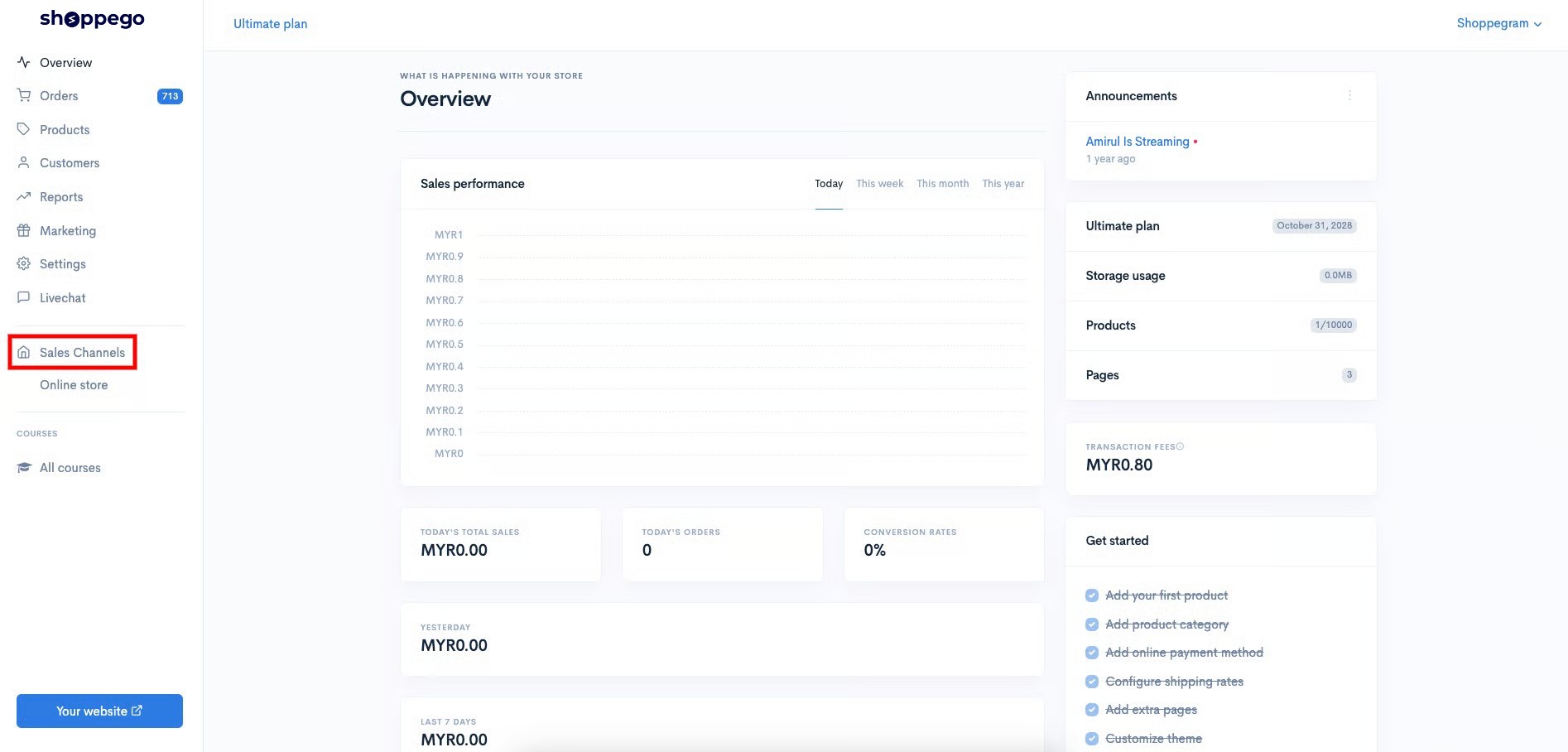
1. Log in to your Shoppego account

<figure><img src="https://3359028955-files.gitbook.io/~/files/v0/b/gitbook-x-prod.appspot.com/o/spaces%2F-Lh09fNwqqta5Vj6Wr8p%2Fuploads%2Fgit-blob-b853fc0189b34fb1d3990f5b1f53fa71deb9d384%2FlCN7aw3FznaFFoOAyya2.jpg?alt=media" alt=""><figcaption></figcaption></figure>

2. Click on **Sales Channels**

<figure><img src="https://3359028955-files.gitbook.io/~/files/v0/b/gitbook-x-prod.appspot.com/o/spaces%2F-Lh09fNwqqta5Vj6Wr8p%2Fuploads%2Fgit-blob-12334f2a8c94ef3ed5b34a4891fea465f7b304d3%2FukUIKKXQHEeJSqpbtcqi.jpg?alt=media" alt=""><figcaption></figcaption></figure>

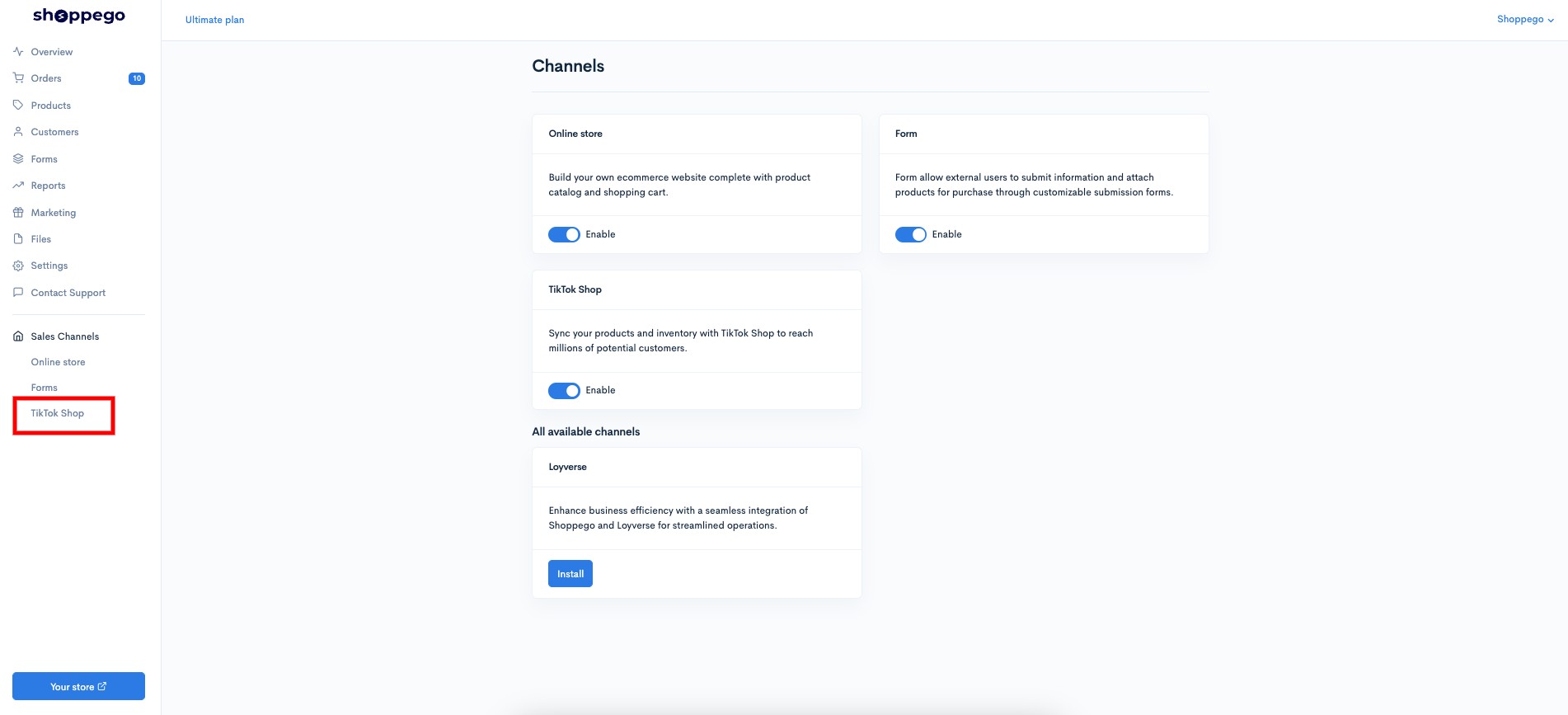
3. Click on **TikTok Shop**

<figure><img src="https://3359028955-files.gitbook.io/~/files/v0/b/gitbook-x-prod.appspot.com/o/spaces%2F-Lh09fNwqqta5Vj6Wr8p%2Fuploads%2Fgit-blob-152e46de3227109749bceea02cab78a969e6e934%2F2L0MsuTzNMaUEFPDLp2O.jpg?alt=media" alt=""><figcaption></figcaption></figure>

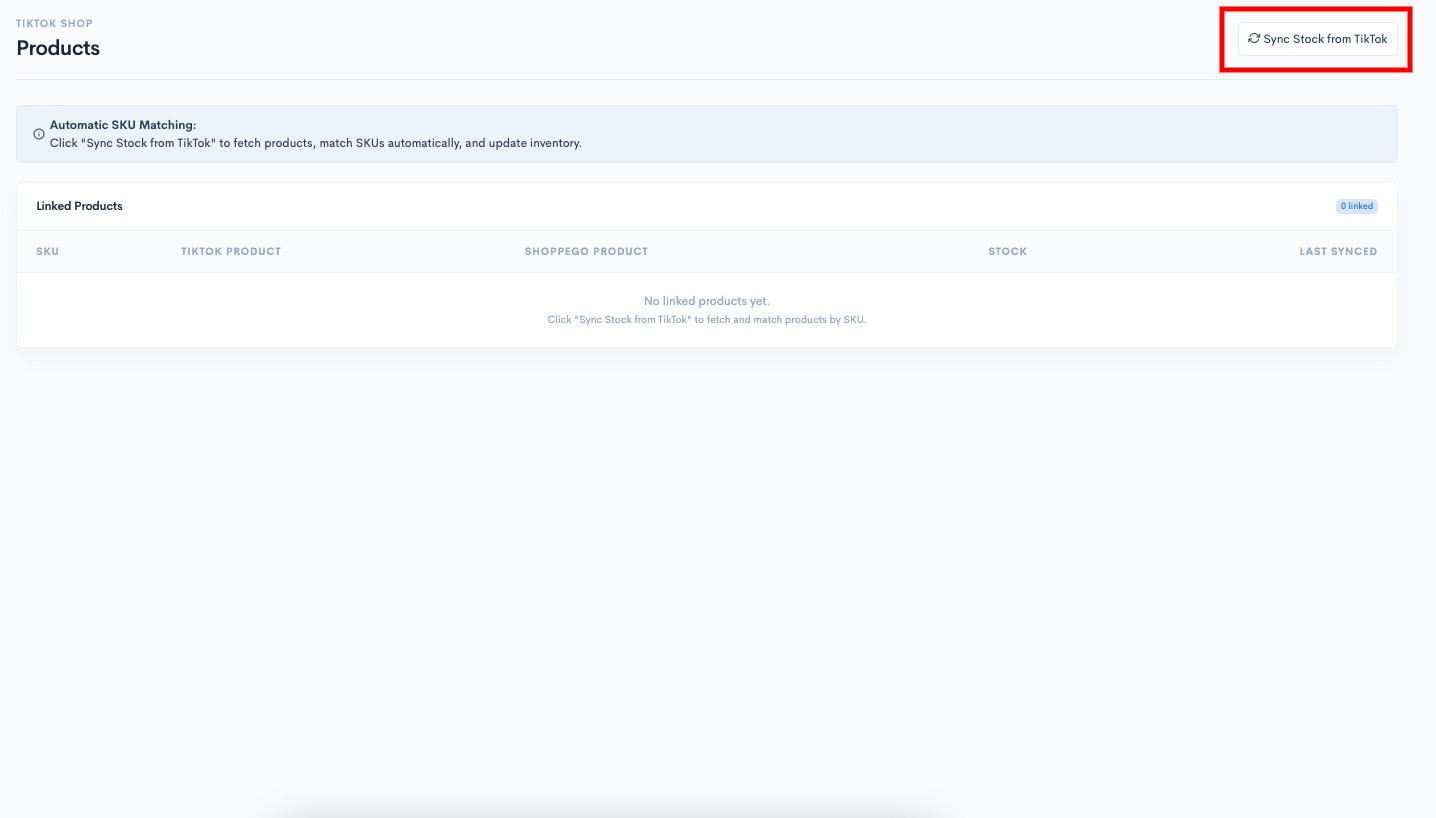
4. Click on **Products**

<figure><img src="https://3359028955-files.gitbook.io/~/files/v0/b/gitbook-x-prod.appspot.com/o/spaces%2F-Lh09fNwqqta5Vj6Wr8p%2Fuploads%2Fgit-blob-6dd6d60d31aabaa99fee82995a58708c4748cef6%2FqXroPhN6xbPR0NnWaOpU.jpg?alt=media" alt=""><figcaption></figcaption></figure>

5. Then click the "**Sync Stock from TikTok**" button to synchronize your products on TikTok with those in the Shoppego store via SKU reading.

<figure><img src="https://3359028955-files.gitbook.io/~/files/v0/b/gitbook-x-prod.appspot.com/o/spaces%2F-Lh09fNwqqta5Vj6Wr8p%2Fuploads%2Fgit-blob-a6a5a19517734be81b455ac7bcb74a39c5c06453%2Fh1LVQKPbL8MCfdBIEbXR.jpg?alt=media" alt=""><figcaption></figcaption></figure>

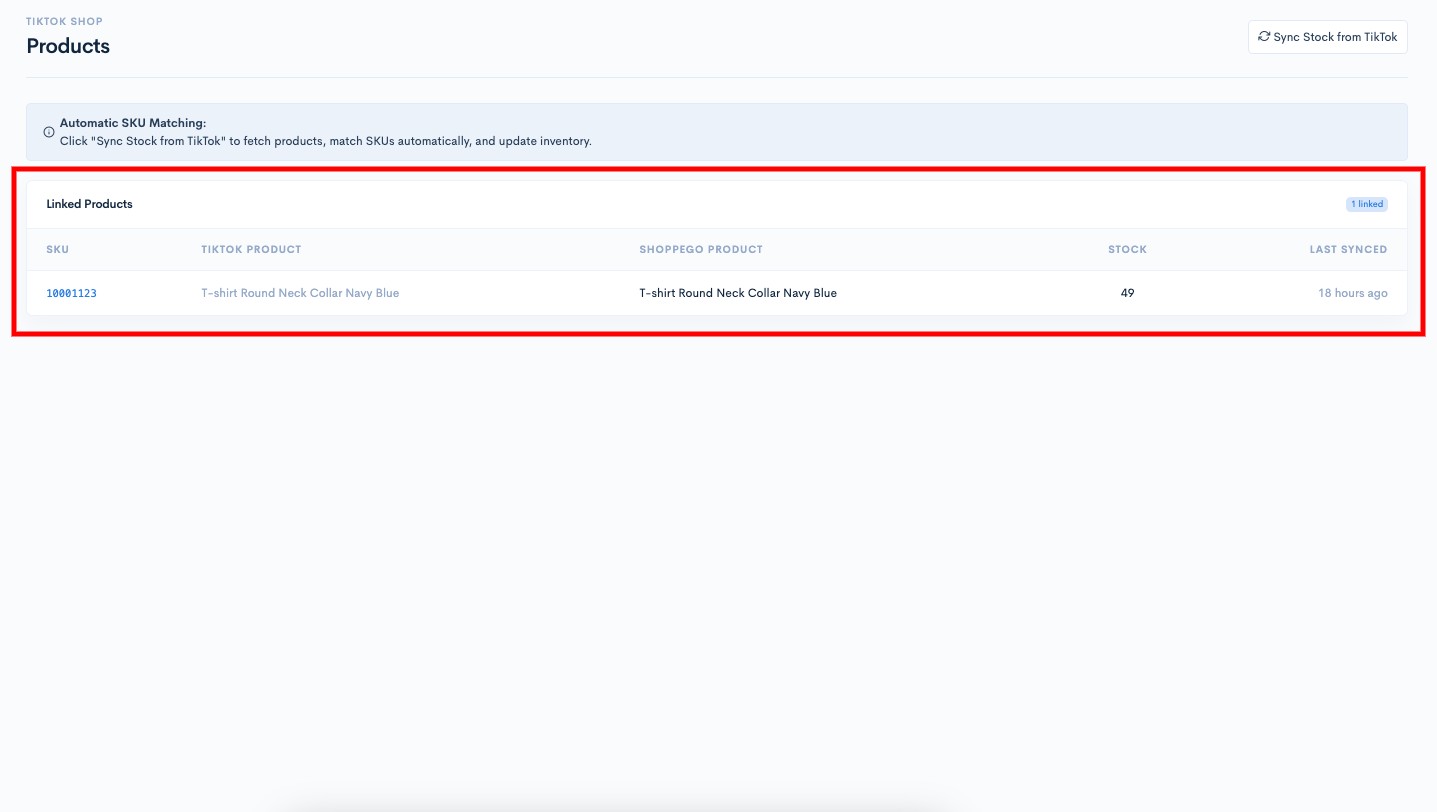
Now the stock adjustment is complete.

<figure><img src="https://3359028955-files.gitbook.io/~/files/v0/b/gitbook-x-prod.appspot.com/o/spaces%2F-Lh09fNwqqta5Vj6Wr8p%2Fuploads%2Fgit-blob-926756e0f3a875aca3a6aad148cdc0d9d64860c1%2FlDi5A0l8CfiubdaFIaDn.jpg?alt=media" alt=""><figcaption></figcaption></figure>

## Additional Information

If you **have made manual stock changes on the TikTok Shop platform**, you need to **click the "Sync Stock from TikTok" button again to re-sync the product stock**.

If you experience any errors on the TikTok Shop platform, you can contact [TikTok Support](https://ads.tiktok.com/athena/requester/boards?identify_key=6a1e079024806640c5e1e695d13db80949525168a052299b4970f9c99cb5ac78) for assistance. You can also click **Get Support** in the TikTok app to access their support queue.