> For the complete documentation index, see [llms.txt](https://docs.shoppego.my/tutorials/llms.txt). Markdown versions of documentation pages are available by appending `.md` to page URLs; this page is available as [Markdown](https://docs.shoppego.my/tutorials/en/tiktok-shop/settings.md).

# Settings

To change the TikTok Shop integration settings, whether it's location settings or TikTok Shop accounts, you can go to the section:

1. Log in to your Shoppego account

<figure><img src="https://3359028955-files.gitbook.io/~/files/v0/b/gitbook-x-prod.appspot.com/o/spaces%2F-Lh09fNwqqta5Vj6Wr8p%2Fuploads%2Fgit-blob-b853fc0189b34fb1d3990f5b1f53fa71deb9d384%2FlCN7aw3FznaFFoOAyya2.jpg?alt=media" alt=""><figcaption></figcaption></figure>

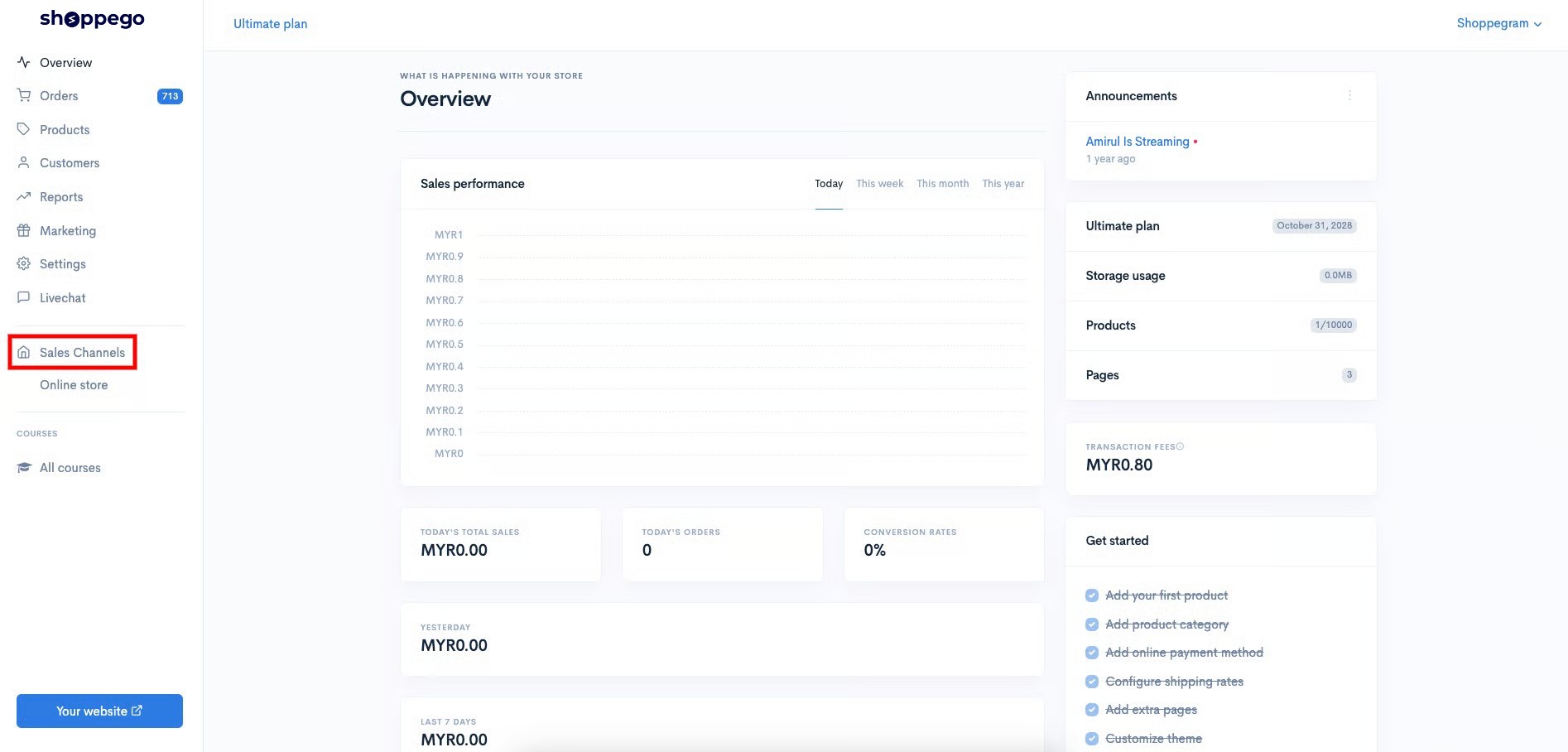
2. Click on **Sales Channels**

<figure><img src="https://3359028955-files.gitbook.io/~/files/v0/b/gitbook-x-prod.appspot.com/o/spaces%2F-Lh09fNwqqta5Vj6Wr8p%2Fuploads%2Fgit-blob-12334f2a8c94ef3ed5b34a4891fea465f7b304d3%2FukUIKKXQHEeJSqpbtcqi.jpg?alt=media" alt=""><figcaption></figcaption></figure>

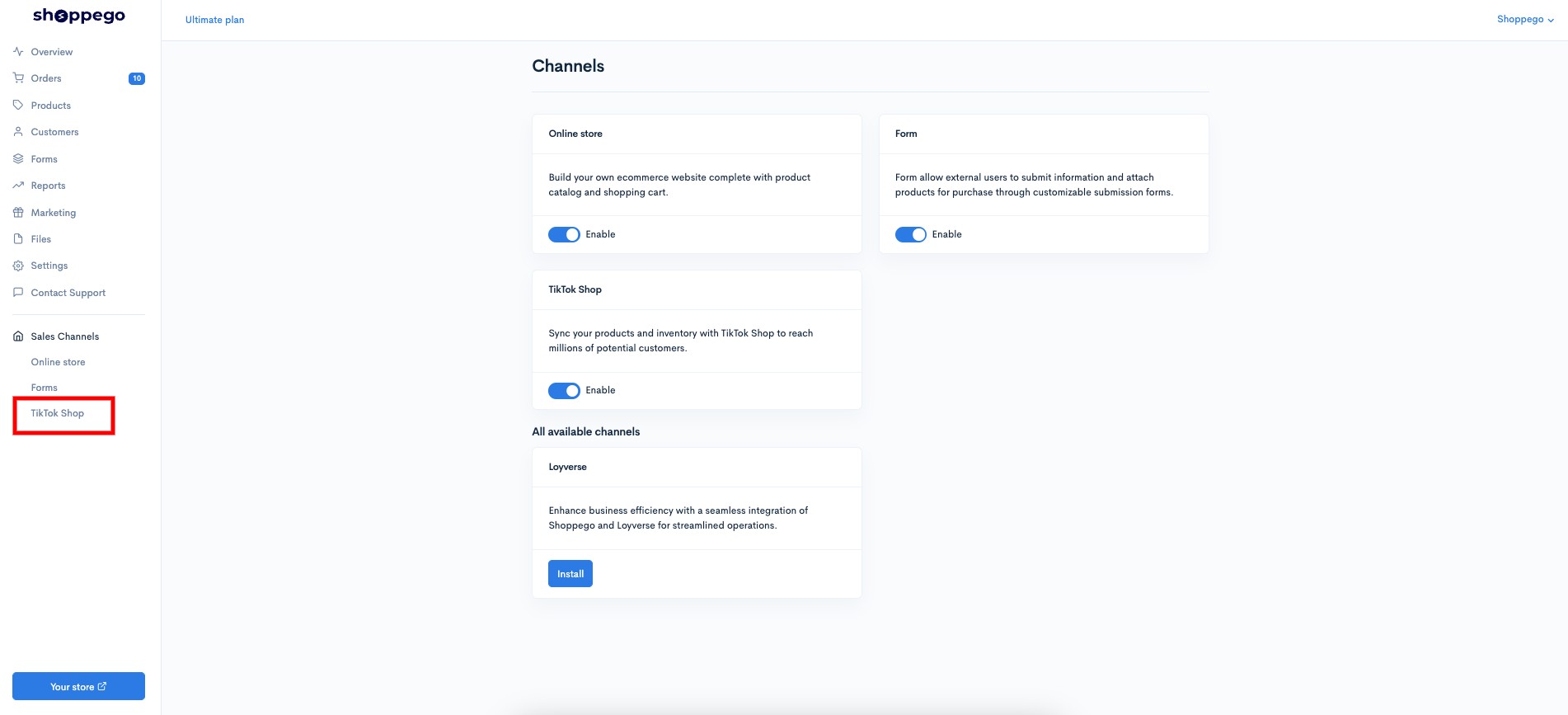
3. Click on **TikTok Shop**

<figure><img src="https://3359028955-files.gitbook.io/~/files/v0/b/gitbook-x-prod.appspot.com/o/spaces%2F-Lh09fNwqqta5Vj6Wr8p%2Fuploads%2Fgit-blob-152e46de3227109749bceea02cab78a969e6e934%2F2L0MsuTzNMaUEFPDLp2O.jpg?alt=media" alt=""><figcaption></figcaption></figure>

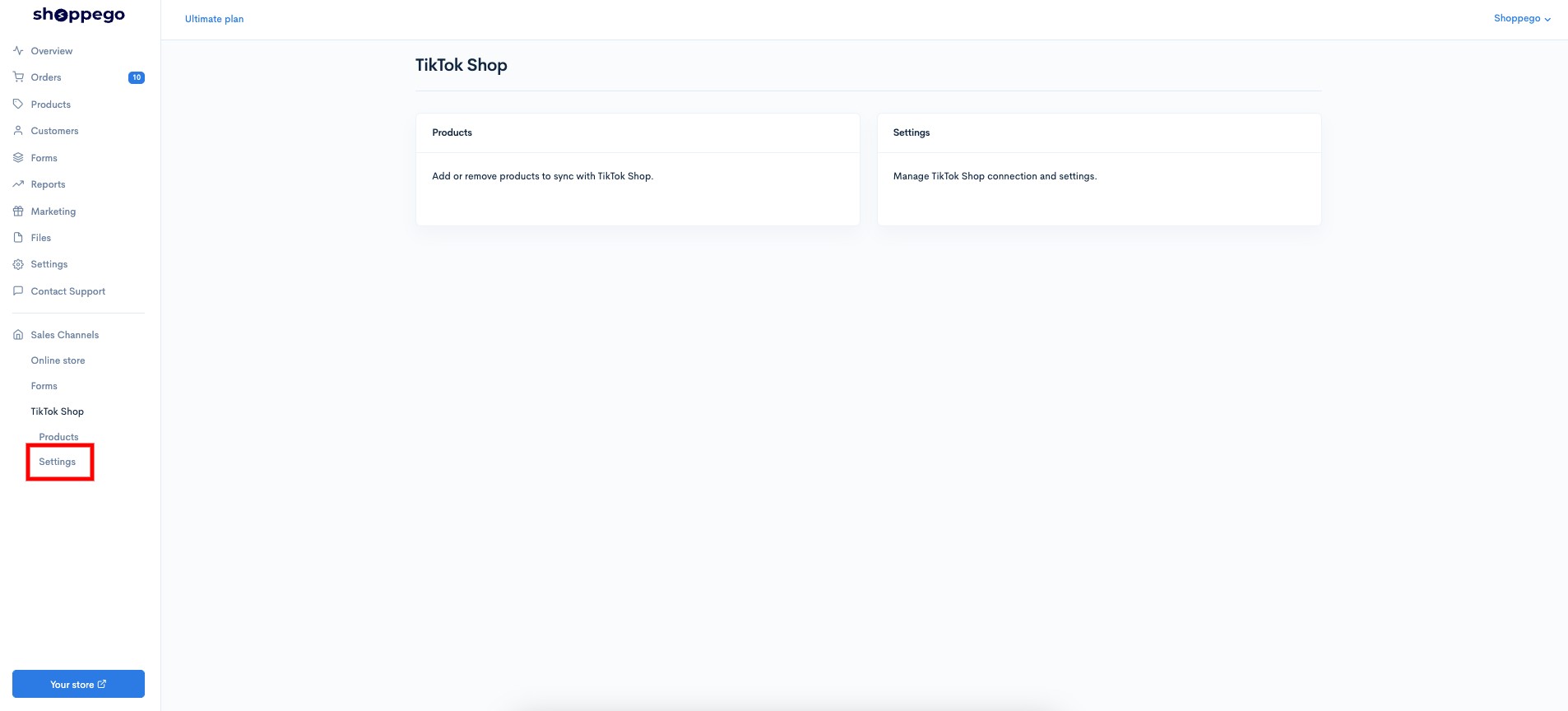
4. Click on **Settings**

<figure><img src="https://3359028955-files.gitbook.io/~/files/v0/b/gitbook-x-prod.appspot.com/o/spaces%2F-Lh09fNwqqta5Vj6Wr8p%2Fuploads%2Fgit-blob-d9973c5559b91633d2413a4fbaabb89a57272f17%2FMANbmatad3DpWrSK64E5.jpg?alt=media" alt=""><figcaption></figcaption></figure>

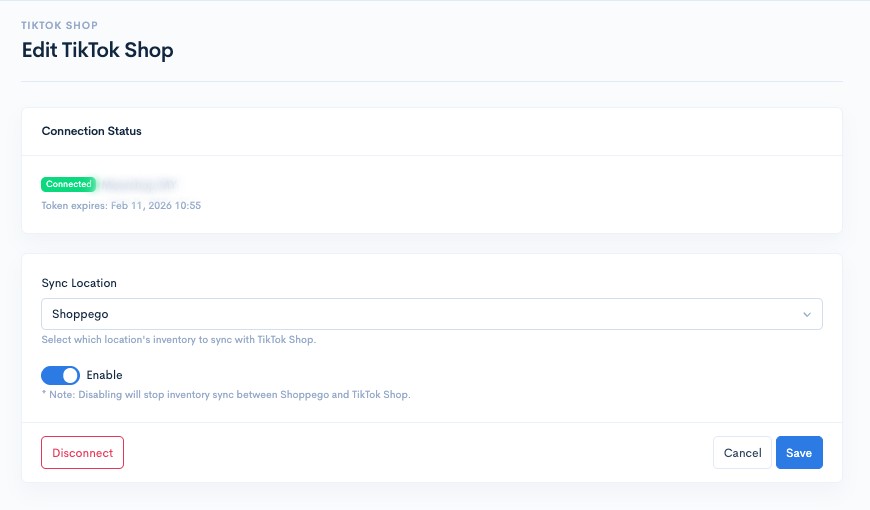
On this page, there are several settings and information that you can see, including:

<figure><img src="https://3359028955-files.gitbook.io/~/files/v0/b/gitbook-x-prod.appspot.com/o/spaces%2F-Lh09fNwqqta5Vj6Wr8p%2Fuploads%2Fgit-blob-c701d8c1455d0075835e1156fb82986371083d29%2F7IwuBcr95U5qptAid1WJ.jpg?alt=media" alt=""><figcaption></figcaption></figure>

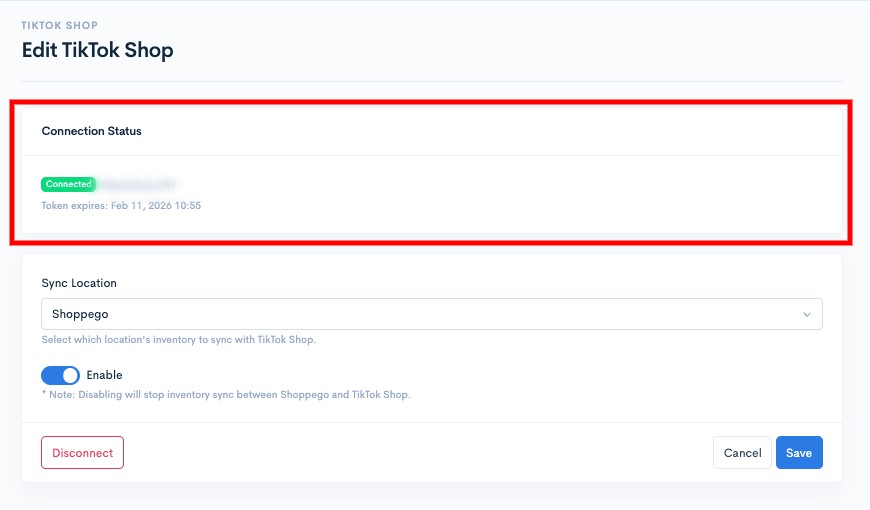
### See TikTok Shop account integration info

<figure><img src="https://3359028955-files.gitbook.io/~/files/v0/b/gitbook-x-prod.appspot.com/o/spaces%2F-Lh09fNwqqta5Vj6Wr8p%2Fuploads%2Fgit-blob-62fc2297b71d6ebae579564a704581f7b8f83b02%2FDJGLDUXkeUqyySPPFJaw.jpg?alt=media" alt=""><figcaption></figcaption></figure>

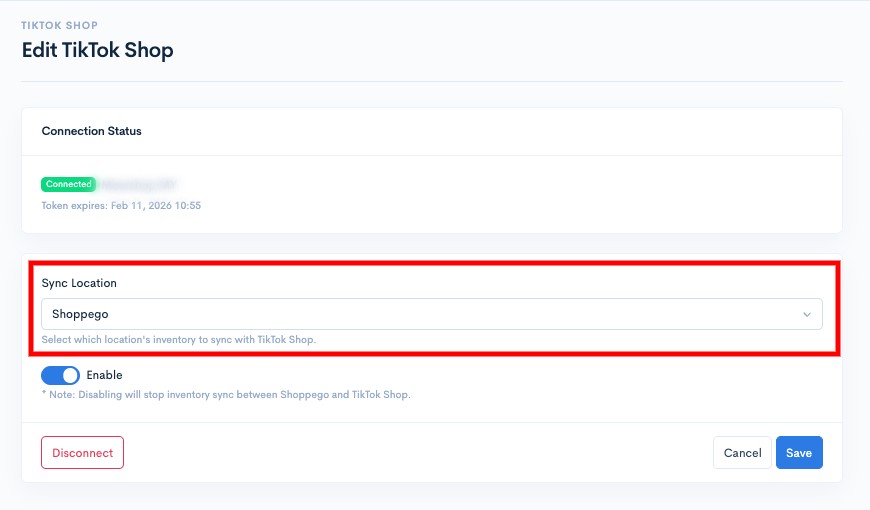
### Make location changes to align stock

<figure><img src="https://3359028955-files.gitbook.io/~/files/v0/b/gitbook-x-prod.appspot.com/o/spaces%2F-Lh09fNwqqta5Vj6Wr8p%2Fuploads%2Fgit-blob-b14d5927cdfb45e6438a6e36ae3c806a05c1cae4%2FWCfyb61jBxve5plwM0PW.jpg?alt=media" alt=""><figcaption></figcaption></figure>

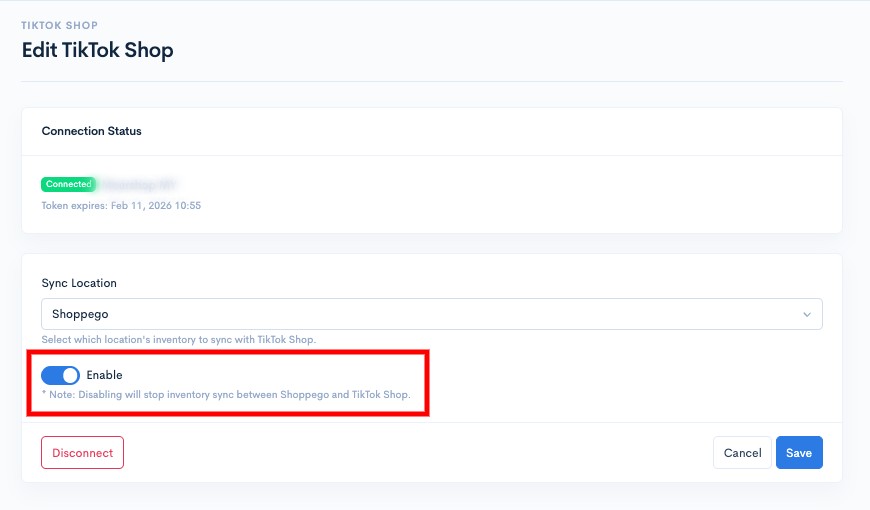
### Deactivate the TikTok Shop integration

<figure><img src="https://3359028955-files.gitbook.io/~/files/v0/b/gitbook-x-prod.appspot.com/o/spaces%2F-Lh09fNwqqta5Vj6Wr8p%2Fuploads%2Fgit-blob-a62798b081d34f6215ba59876d9d17be3107925e%2F4kKLM9d6urpMNth8SOt3.jpg?alt=media" alt=""><figcaption></figcaption></figure>

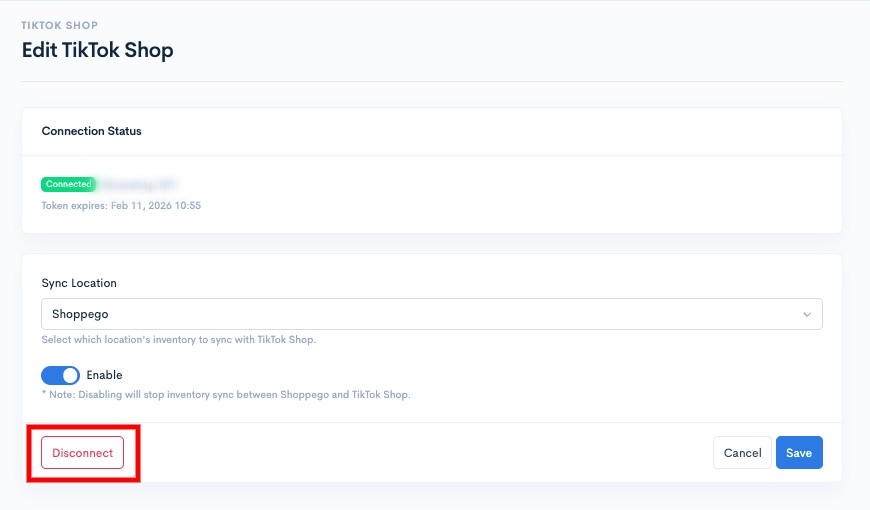
### Removing TikTok Shop account integration

<figure><img src="https://3359028955-files.gitbook.io/~/files/v0/b/gitbook-x-prod.appspot.com/o/spaces%2F-Lh09fNwqqta5Vj6Wr8p%2Fuploads%2Fgit-blob-0946b808f886b3083d24714062a6f8e78108dcd1%2FcRSK2RY7fdZAei3K8iSI.jpg?alt=media" alt=""><figcaption></figcaption></figure>

Make sure that for every change you make, you click on the **Save** button to save the setting.

<figure><img src="https://3359028955-files.gitbook.io/~/files/v0/b/gitbook-x-prod.appspot.com/o/spaces%2F-Lh09fNwqqta5Vj6Wr8p%2Fuploads%2Fgit-blob-dadfca6958507f7e9486d9bbf19eb0af8d8570ac%2Fn2s6vE62J2OyFWFvMmgS.jpg?alt=media" alt=""><figcaption></figcaption></figure>