> For the complete documentation index, see [llms.txt](https://docs.shoppego.my/tutorials/llms.txt). Markdown versions of documentation pages are available by appending `.md` to page URLs; this page is available as [Markdown](https://docs.shoppego.my/tutorials/ms/settings/sms-provider.md).
# SMS Provider
Di Commerce, anda boleh hubungkan website anda dengan sistem SMS Provider seperti:
{% content-ref url="/pages/xjEhGXSIzfiuxXqGxW2N" %}
[Twilio](/tutorials/ms/settings/sms-provider/twilio.md)
{% endcontent-ref %}
{% content-ref url="/pages/AHVlHzLopxvrocjsh3gb" %}
[AdaSMS](/tutorials/ms/settings/sms-provider/adasms.md)
{% endcontent-ref %}
{% content-ref url="/pages/K5h3BnkQob7cScCvirA7" %}
[KlasikSMS](/tutorials/ms/settings/sms-provider/klasiksms.md)
{% endcontent-ref %}
Sebelum memulakan penetapan berikut, anda perlu membuat penetapan notification SMS message yang akan dihantar terlebih dahulu.
{% hint style="info" %}
* Features ini hanya available untuk **plan ****Premium** dan **Ultimate** sahaja**.**
* SMS notifications yang boleh dihantar kepada pelanggan hanyalah **Order confirmation, Order shipped, Order review, Order packed** dan **Order ready for pickup** sahaja buat masa sekarang.
{% endhint %}
## **Info tambahan**
**Untuk pengguna yang sudah lama menggunakan sistem Commerce anda perlu klik membuat tetapan Restore to default** terlebih dahulu untuk menggunakan fungsi ini.
**Pada page Order Confirmation** -> **SMS**, anda boleh klik button **More** -> **Restore to default**

## **Penetapan di Shoppego**
1\. Log masuk ke akaun Shoppego anda.

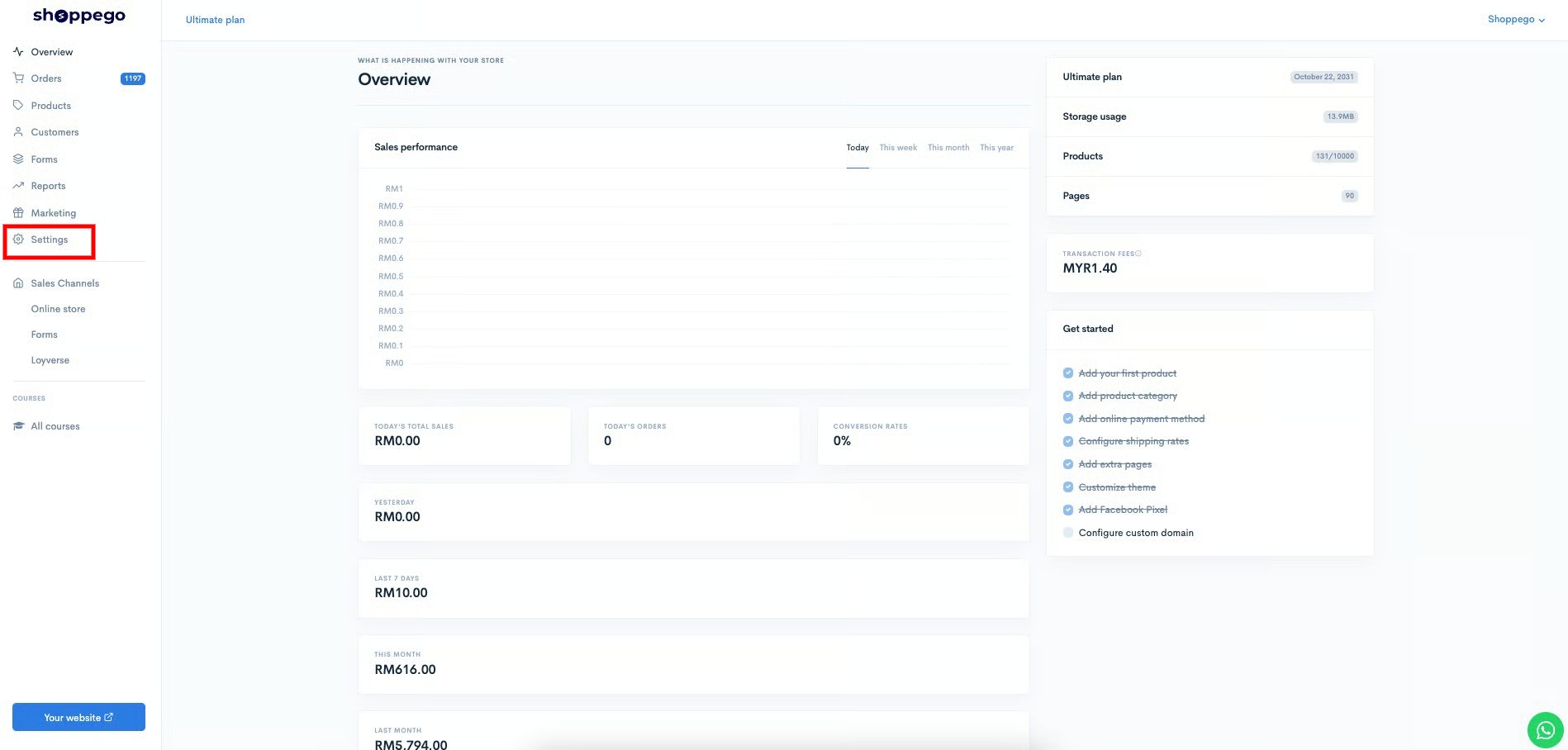
2\. Klik pada tab **Settings**
3\. Klik pada tab **Notifications**

4\. Klik butang **Edit** pada tab Order Confirmation

5\. Klik pada tab **SMS**

6\. Pada ruangan **Content**, anda boleh masukkan text/message yang anda ingin dihantar kepada customer setelah mereka membuat pembayaran diwebsite anda.

7\. Setelah selesai anda boleh klik **Save**

8\. Anda perlu pastikan Order Confirmation tersebut berada dalam keadaan **Enable**. ( Pastikan ia bewarna biru )

Setelah selesai, anda boleh membuat penetapan sistem SMS notification yang anda pilih.